55
16-1-2 DISPLAY SCREEN
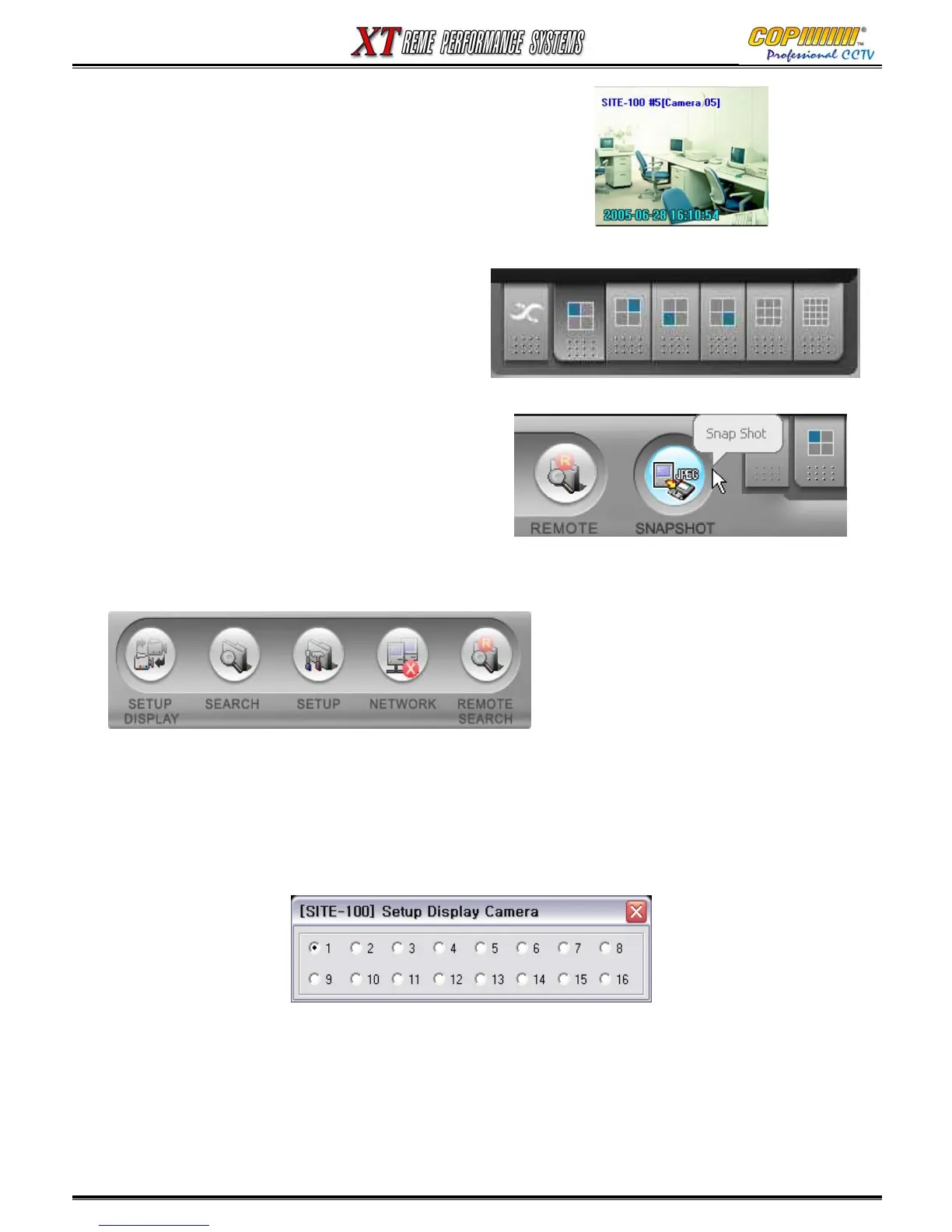
Explanation of each Display Segment
1) SITE-100 #5: Site Name & camera number of that site.
2) (Camera 05) :Camera Name.
3) 2005-06-28 16:10:54 : The System Time of the XT DVR
at that Site.
16-1-3 SCREEN DIVISION BUTTONS
Screen Display mode buttons:
Sequence, Quads (1 to 4, 5 to 8, 9 to 12, 13 to 16),
9-way Split Screen, 16-way Split Screen.
16-1-4 MAIN SYSTEM UTILITY BUTTONS
A) SETUP DISPLAY :
1) Select a segment on the screen.
2) Click the ‘SETUP DISPLAY’ button.
3) A camera selection window will show, select one camera image to be displayed in that
segment. (Any camera can be displayed in any segment.)
B) SETUP, SEARCH & REMOTE SEARCH : Refer to the next chapter for more detailed information.
C) NETWORK : Click this button to start or end a network connection. A connection will only be
started after the SETUP has been completed.
16. NetFocus CMS
16-1-4 SNAPSHOT BUTTON
This button will save a .jpeg image, of the screen
segment highlighted in red, when pressed.
The .jpeg file saved in the installation folder
(Default folder on your PC: C:/CMS_2)



 To Next Page