63
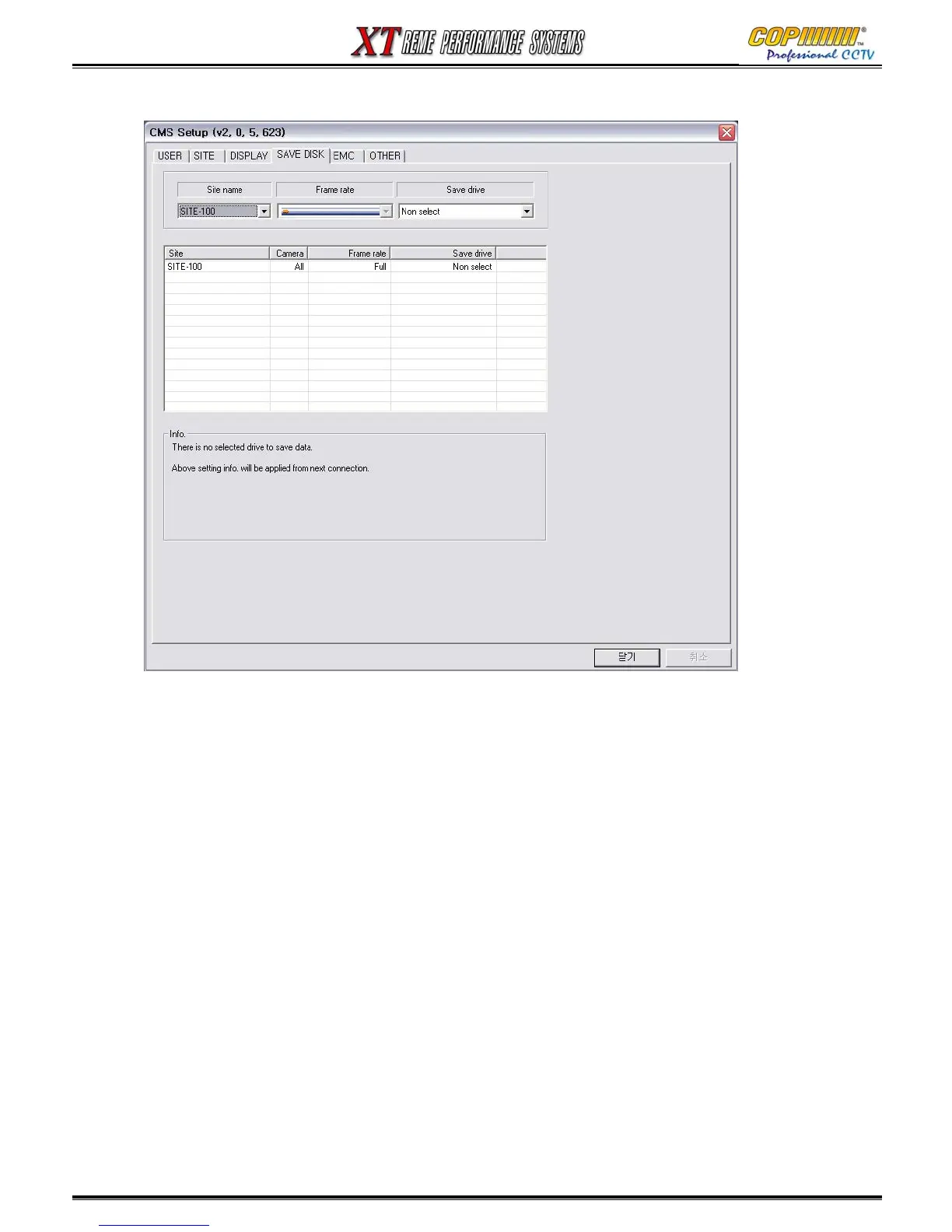
16-2-4 SAVE DISK
This feature can be used for continuous back-up of the camera images to the PC.
1) Site name : Select the DVR from which the Back-up images are to be saved from.
2) Frame rate : This is pre-set.
3) Save drive : Select the Hard Disk Drive where the Back-ups are to be saved to.
(We would recommend that if you use this feature, a dedicated HDD is used. Do Not use the HDD that
your Operating System runs from.
16. CMS



 To Next Page