64
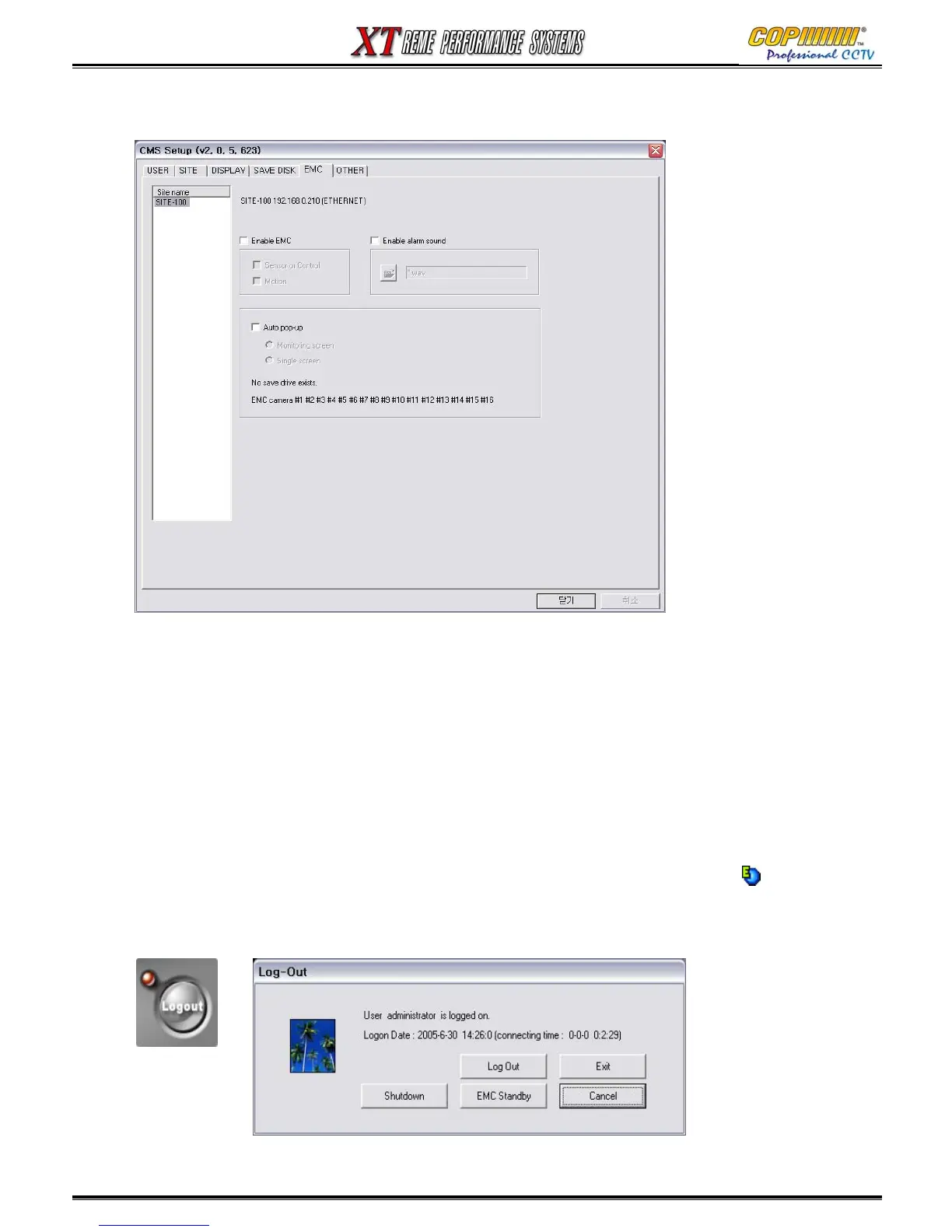
16-2-5 EMC (Emergency Management Center) - Not available: May 2006.
1) EMC mode : when the emergency event happen on the site, the event image is sent to
CMS system automatically with multiple or single screen.
2) Enable EMC : checkmark to enable EMC. Select the event mode either by motion or by
sensor or control.
3) Enable alarm sound : checkmark to enable alarm sound when EMC is activated. Open the
folder and select wave file.
4) Auto pop-up : when EMC is activated by motion or sensor/control, the event will come up
with monitoring screen or single screen.
5) EMC activation : after setup is completed, go to monitoring mode. Click ‘log out’ button,
and you can see ‘EMC standby’ button. Select it, it will go to EMC mode. EMC icon( )
will be generated on the right corner of the bottom. When EMC mode is activated by motion
or sensor/control, the event screen will automatically pop-up, and the icon will be turn in red.
16. CMS



 To Next Page