Cosman G4 Radiofrequency Generator Service Manual (SPI 11291 Rev A)
9.1.2 Stimulation Settings
The Electrode Setup settings (Section 7.1) determine the configuration of electrodes when the generator
delivers Sensory and Motor Stimulation output. The "Electrode Select Buttons" on the Stimulation screen
(see Section 9.1) are used to select one electrode at a time, or one bipolar electrode pair at a time, from
those set as "active" on the Electrode Setup screen. Stimulation output is delivered only to the one selected
electrode or bipolar electrode pair. The following settings determine the Stimulation output characteristics.
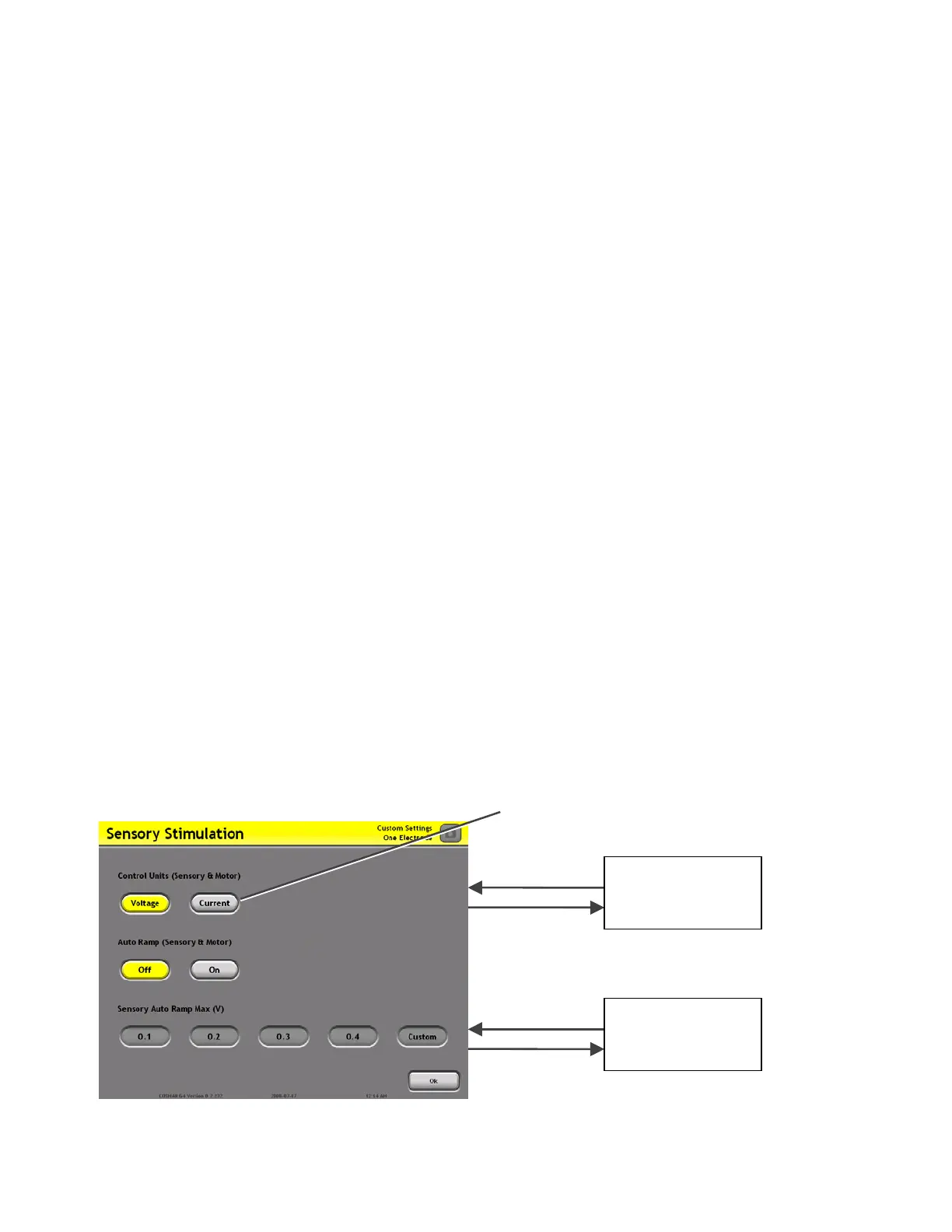
• Control Units (“Units”):
• Voltage: Sensory and Motor Stimulation output is Voltage-regulated.
• Current: Sensory and Motor Stimulation output is Current-regulated.
• Auto Ramp:
• Off: The Sensory and Motor Stimulation output level is controlled manually by the on-screen
Output Increment and Decrement buttons (One Touch interface only).
• On: The Sensory and Motor Stimulation output level increases automatically after the user
has turned the output on.
• Sensory Pulse Rate (“Pulse Rate”): The rate of Sensory Stimulation output pulses in units of Hertz
(Hz), which is equivalent to units of “Pulses Per Second”.
• Sensory Pulse Width (“Pulse Width”): The width of Sensory Stimulation output pulses in units of
milliseconds.
• Sensory Auto Ramp Max: The maximum output level if Auto Ramp = On.
• Motor Pulse Rate (“Pulse Rate”): The rate of Motor Stimulation output pulses in units of Hertz
(Hz), which is equivalent to units of “Pulses Per Second”.
• Motor Pulse Width (“Pulse Width”): The width of Motor Stimulation output pulses in units of
milliseconds.
• Motor Auto Ramp Max: The maximum Motor Stimulation output level if Auto Ramp = On.
An example of a Stimulation Change Settings screen is shown below.
Select settin
s from buttons sets
Stimulation
Screen
Section 9.1
Custom Setting
Keypad
Select “Custom”
from a setting
button set
Press “Ok”:
ccept selected
settings.
Section 9


 To Next Page