33
DC-ITD-PS7MAN01.A www.dodtec.com
JAN 2019 815-788-5200
7.4 Test Mode Settings and Operating Instructions
1. Settings
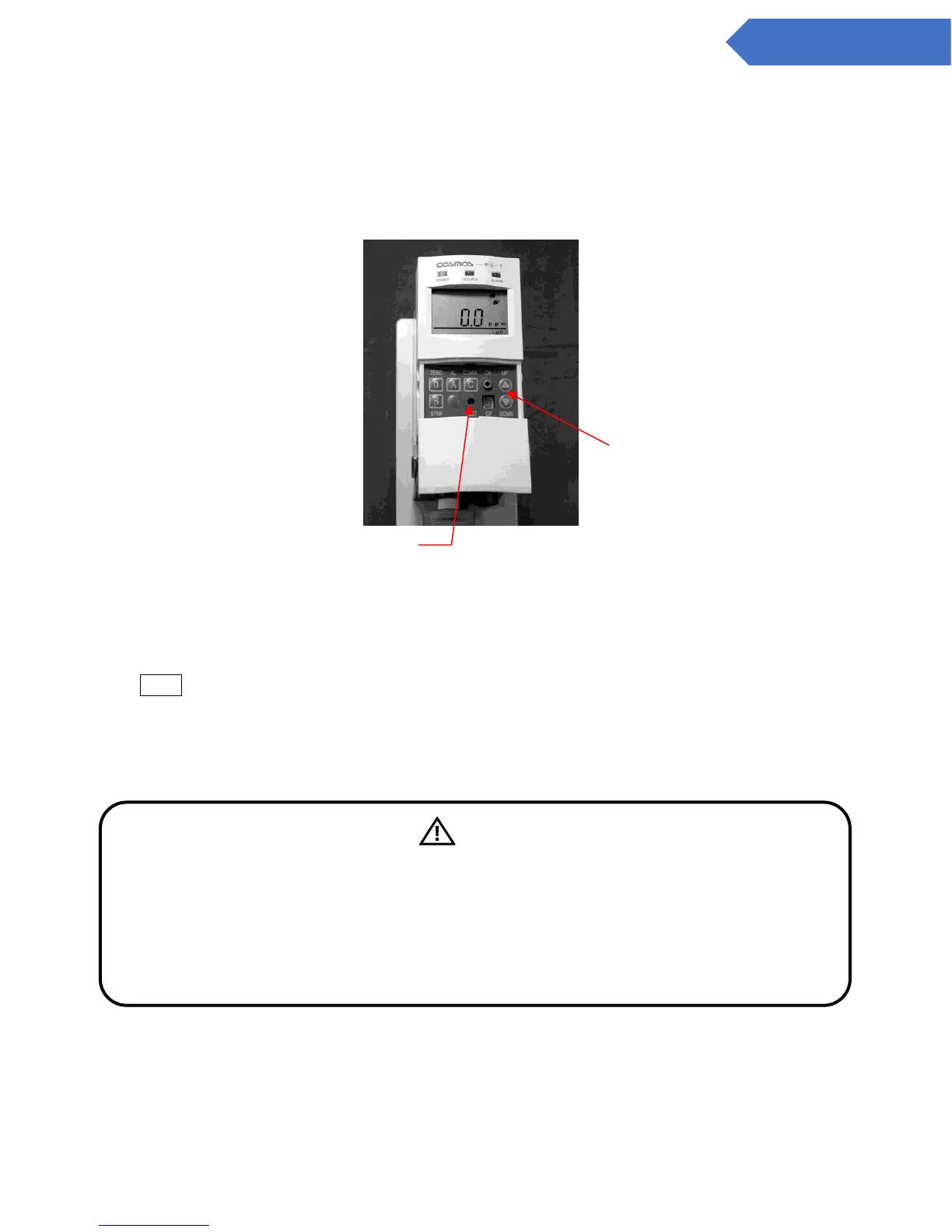
Press the “TEST” key switch on the front of the main unit.
When this is pressed once, it will go into test mode. When it is pressed again, it will return to
normal mode.
*Test mode will automatically be released after 10 minutes.
2. Operating Instructions
TEST is displayed on the LCD screen.
In test mode, the value of the analog output (4-20 mA) can be set to units of 0.16 mA (1% units of
the full-scale value).
The value of the analog output can be changed using the “UP/DOWN” keys.
Can be set with the UP/DOWN
Press with the stick for test.
When pressed once, it will go into
test mode, when pressed again it
will return to normal.
Caution
The alarm check conducted with the test switch will also activate the gas alarm contacts.
For this reason, if alarm contacts are used for interlocking with external devices, verify that
the interlock be released prior to conducting the alarm test.
Be sure to conduct alarm testing after changing settings in either maintenance mode. (Refer
to 7.5 Maintenance Mode Settings and Operating Instructions.) Also, conduct inspections on
the gas detection devices only after informing those involved.


 To Next Page