7.5 Maintenance Mode Settings and Operating Instructions
1. Settings
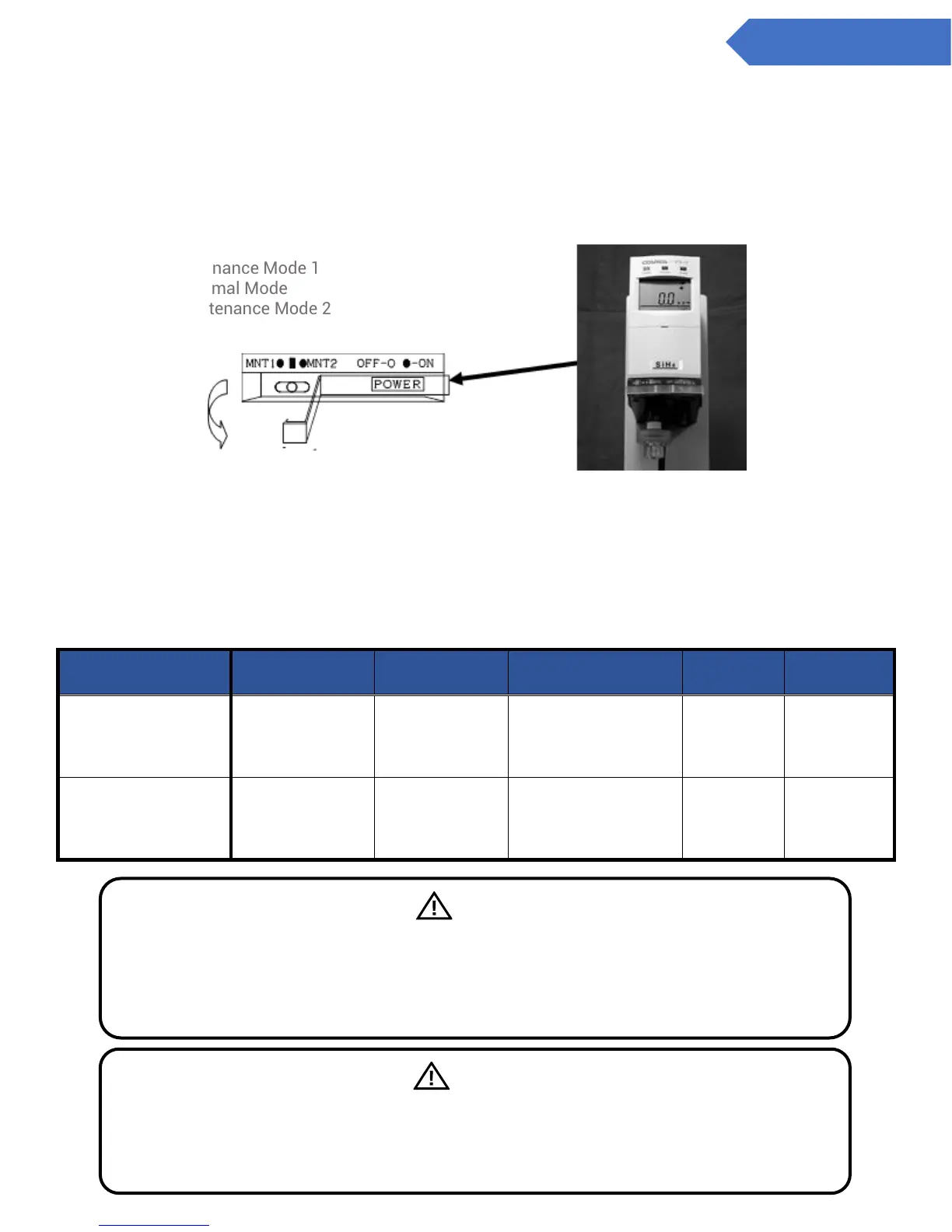
There are two types of maintenance modes. (See the table below for the functions of each)
Set the maintenance switch at the bottom of the from of the main unit to 1 [left], or 2 [right]
Either MNT1 or MNT2 will be displayed on the LCD Screen
Move the maintenance switch to the center position to return to normal mode
Set to maintenance mode.
LEFT: Maintenance Mode 1
CENTER: Normal Mode
RIGHT: Maintenance Mode 2
2. Operating instructions
When on maintenance mode 1, neither the gas alarm contacts, nor the trouble alarm are activated.
When on maintenance mode 2, neither the gas alarm contacts, nor the trouble alarm are activated.
And the analog output will be fixed to either 4.0 mA or 17.4 mA.
In both maintenance modes, the trouble lamp (yellow) blinks, and the concentration value of detected gas is
displayed on the LCD screen.
Caution
*1 In both maintenance mode, the trouble alarm is activated when the power source is
switched off on the main unit. (Trouble alarm: OFF)
*2 The analog signal may change when the power source is switched off on the main unit.
Warning
Be sure to check that it is set to normal mode (center) during regular operations (monitoring
gas concentration.) When regular operations are carried out in maintenance modes 1 or 2,
the alarm contacts and trouble alarms will not work. In maintenance mode 2, the analog
signal will not change from 4 mA.


 To Next Page