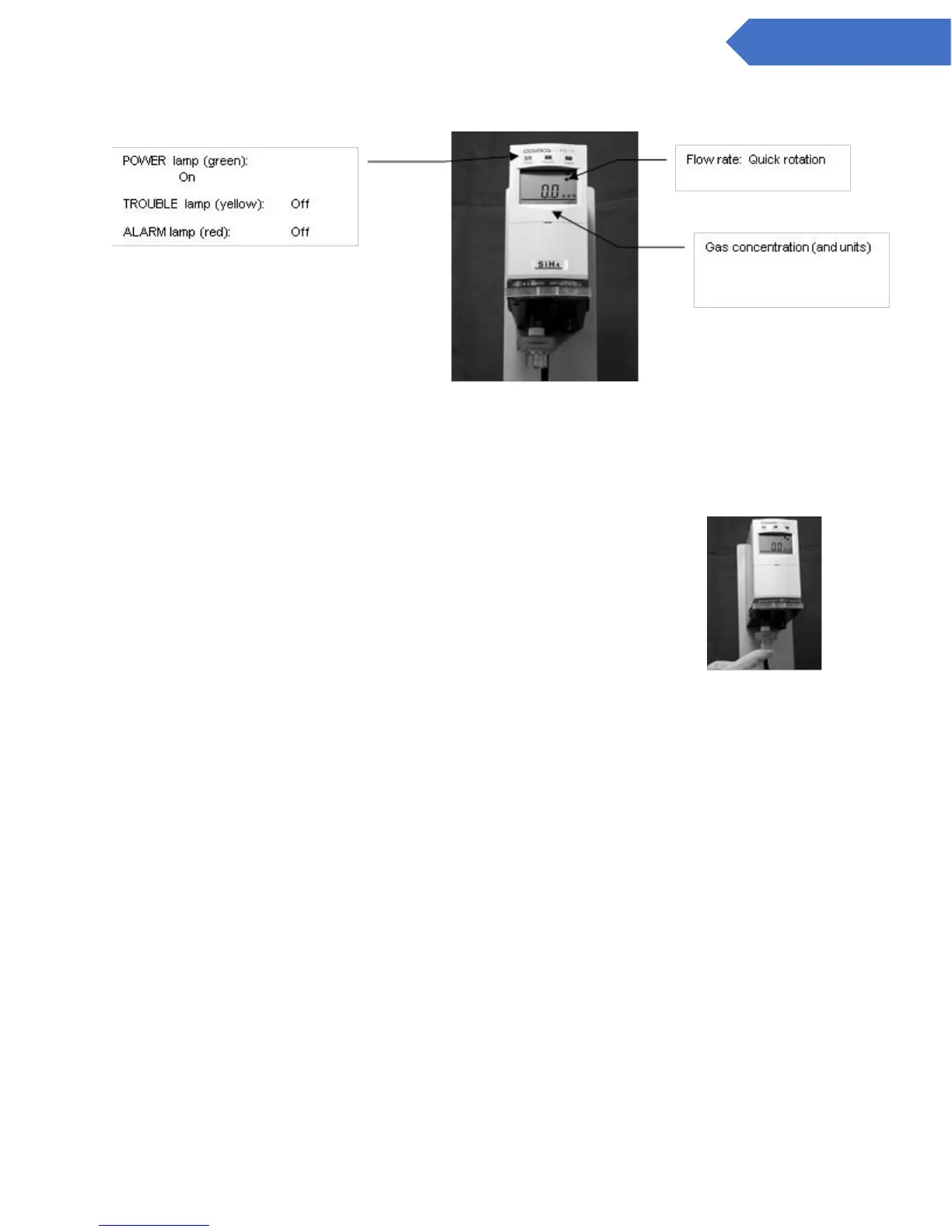
1. Gas concentration indicator inspection
Verify that the gas concentration value is indicated on the LCD screen and the unit is functioning
normally.
2. Sampling flow rate inspection (Flow rate inspection)
Check that the flow rate on the LCD screen is rotating quickly. (Refer to 7.1 Operation Procedures (9)).
If the flow rate is rotating slowly or has stopped, check the filter element, and replace if clogged or
dirty. (See 9.1 Replacing the Filter Element.) If it still is not right after replacing the filter element, check
to make sure the pipes are not clogged, or the load is not too high, etc.
3. Inspection of airtight seal
Carry out an inspection of the airtightness of the internal assembly while
referring to 7.1 Operation Procedures (10).
4. Replacement of filter element
Check to ensure the filter elements are not clogged or dirty at least once every 6 months and replace if
necessary. Filter elements can get dirtier easier depending on the surrounding environment. When the
display shows that the filter is clogged (the flow rate is on slow rotation), check the filter element and
change if necessary. (Refer to 9.1 Replacing the Filter Element FE-1)
5. Pipe inspection
Inspect the gas sampling pipe at startup or when the installation has been augmented or relocated. If
the pipe is not correctly connected, it will not be possible to maintain the required sampling flow rate
or to take gas samples from the target location.
6. Attachment and replacement of sensor unit
Install a new sensor unit at startup. CDS and CHS Sensors should be gas tested or replaced at 12
month intrevals. (Refer to 9.2 Attach/Replacing the Sensor Unit on page 39 and 41.)
7. Loop inspection using Test switch
By pressing the “TEST” key switch on the front of the main unit with a long thin tip, such as that of a
ball point pen, the analog output value can be set at will, so please check the host system. When
“TEST” is pressed again, output returns to normal. (Refer to 7.4 Test Mode Settings and Operating
Instructions)


 To Next Page