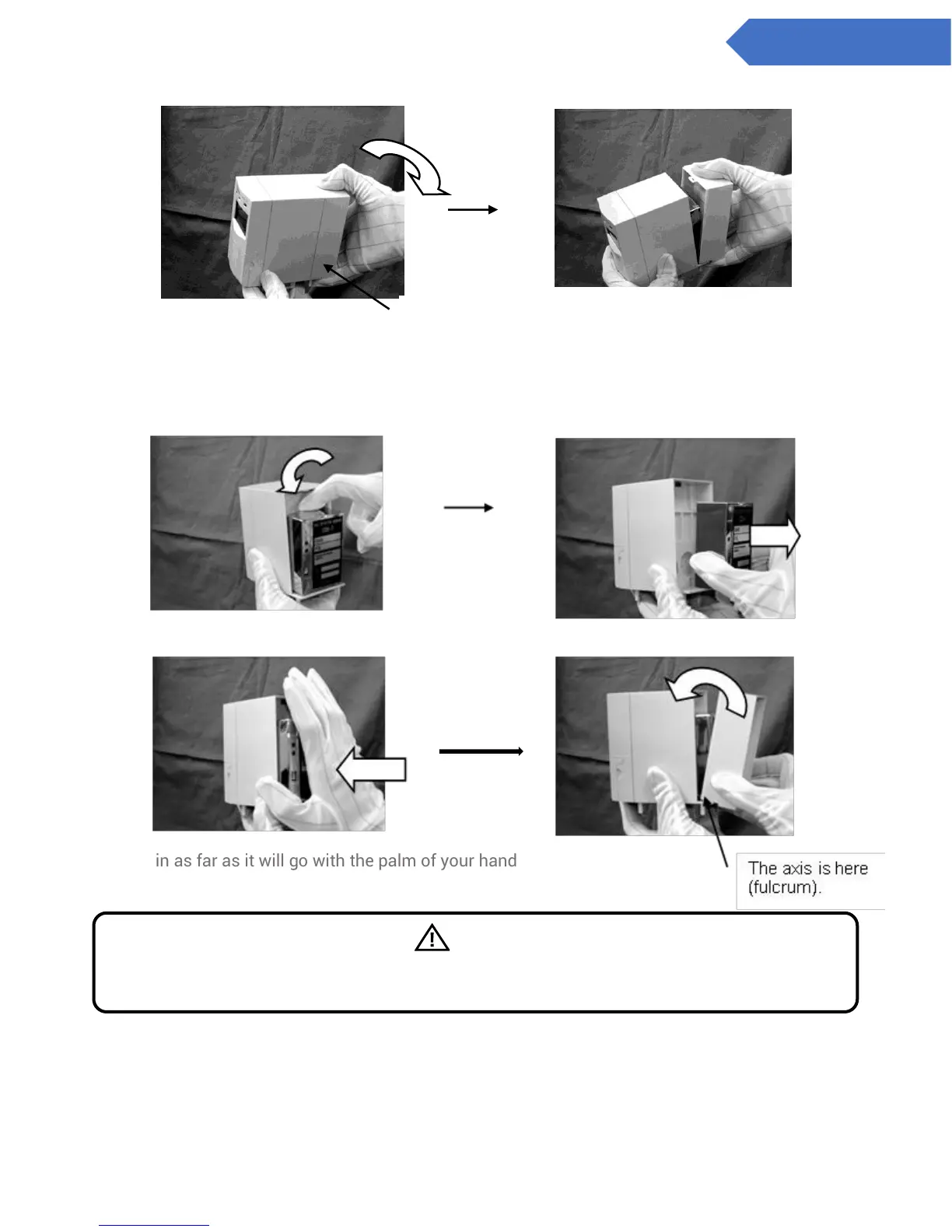
4. Insert a finger in the gap between the main body and the top of the sensor unit and pull back slightly.
Then grasp the sides of the sensor unit and pull out.
5. Insert the new sensor unit, then reattach the main body cover.
Push in as far as it will go with the palm of your hand
6. Pull back the latches on both the left and right sides of the bottom of the base unit and attach the
main unit.
The axis is here (fulcrum).
Warning
If the sensor unit is improperly attached, it will not be made airtight and will fail to detect gas
correctly. Be sure to attach it in as far as it will go.



 To Next Page