11
CraftBot 3
5. PREPARING THE PRINTER
5.1. HEATING UP THE PRINTER
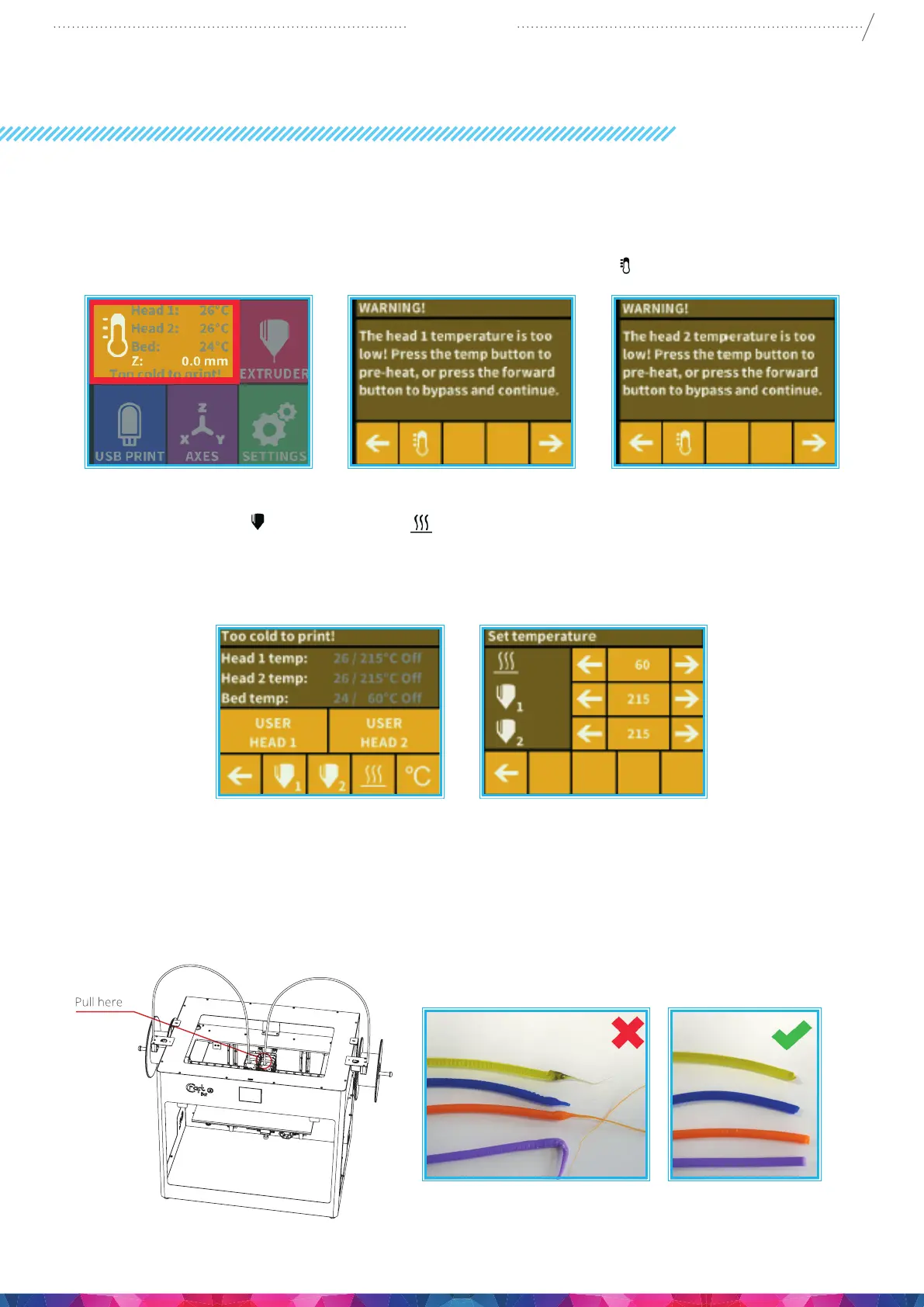
For printing or loading / unloading the lament, heat up the printer according to the type of lament
you are printing with. On the main menu press the thermometer icon.
At this point you will see a new menu indicating both Head temps” plus the “Bed temp”.
Select the Extruder icon
and the Bed icon (line with 3 wavy lines above) to commence the
heating process. Once the extruder reaches the target temperature of your lament (keeping in mind
that dierent materials such as PLA, ABS, and PET have dierent temperature settings), you can start
printing.
5.2. LOADING THE FILAMENT
1. Heat up the printer.
2. Remove the lament guide tube from the insert hole on top of the extruder.


 To Next Page