22
CraftBot 3
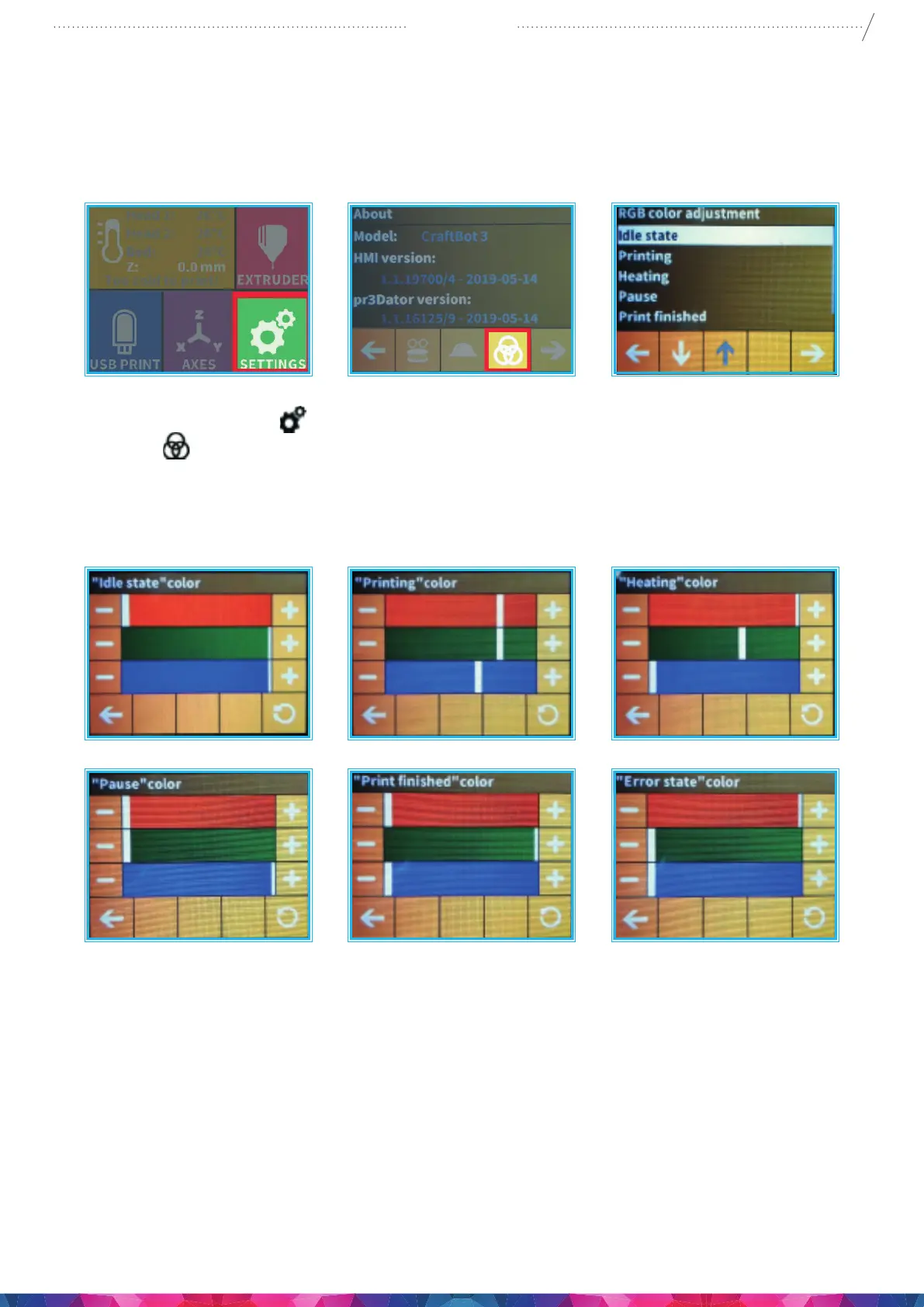
5.4.11. CONFIGURATION OF COLORED RED STRIP
A custom colour can be set for each mode of operation. Modes: idle, printing, heating, pause, print
nished, error
1. Select the Settings menu
on the LCD screen and go to the 4th page. Select the three intersecting
rings icon
.
2. The operation modes will appear. You must then decide which you would like to set. Once you have
made a selection, the colour of the operation mode may be set with the help of the RGB colour
sliders and will immediately appear on the LED strip, so the current colour setting will be visible right
away.
Once you have set the desired colour, pressing the back arrow this will save the current settings and
return to the operation modes.


 To Next Page