12
CraftBot 3
3. Cut the end of the lament free from any kinks and bad ends. Insert the lament from the spool into
the bottom hole of the lament FMS encoder. Please make sure that the lament spool feeds directly
into the FMS encoder from the bottom so that the lament keeps itself straight on course and free
from any snagging. This way you will avoid any unnecessary bending of the lament and any wrong
diagnostics from the lament monitoring system.
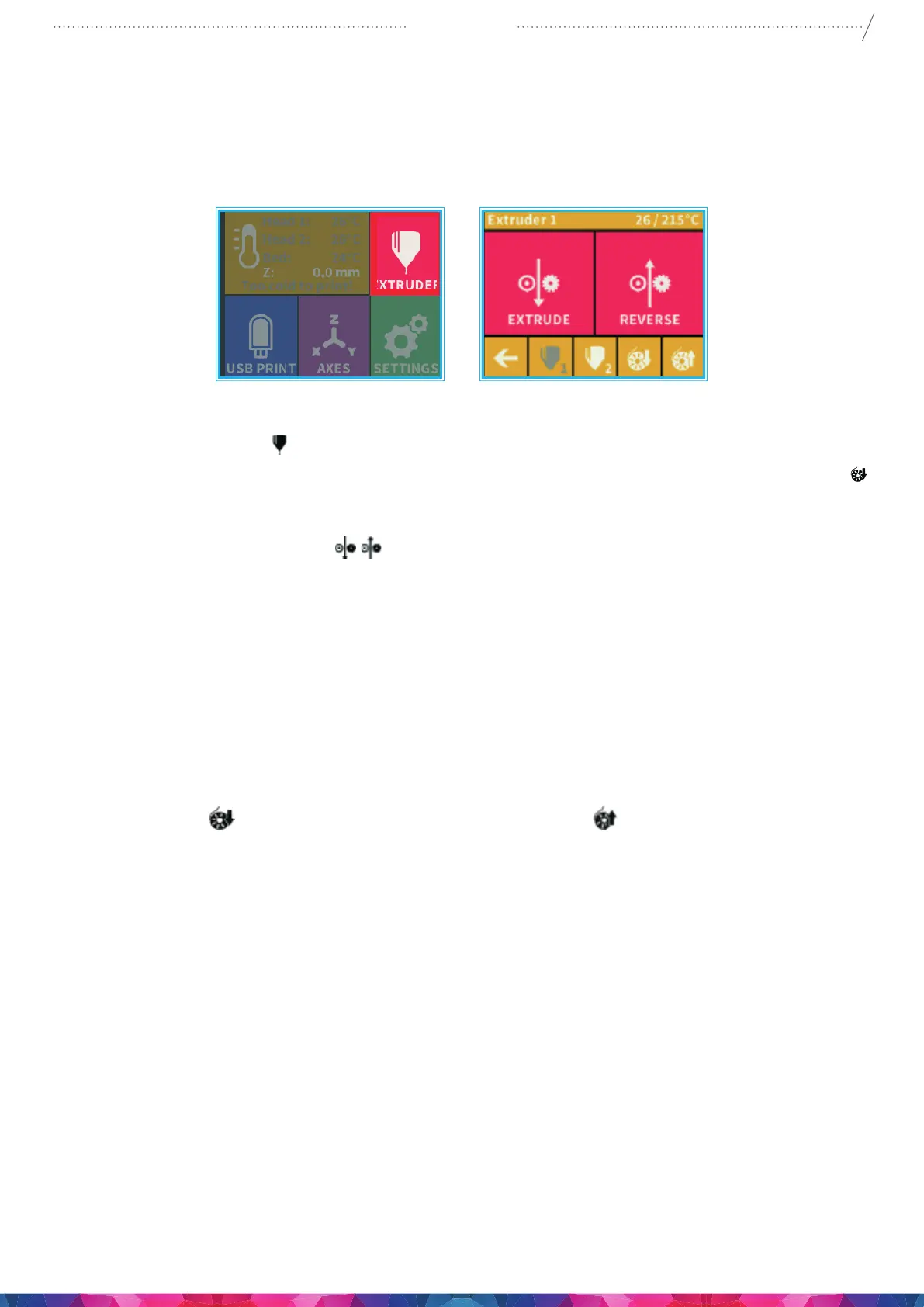
4. Enter into the extruder
menu. Push the lament into the extruder hole, against the drive gear.
5. Press the bottom icon for the extruder you are about to use now using or load lament button
on the screen. The load button will extrude 15 cm of lament automatically, this can be interrupted
by pressing the back button at any time.
6. You can also use the “extrude”
menu on the touchscreen to extrude lament in /out of the
nozzle manually. Re-insert the lament guide tube back into the hole at the top of the extruder. The
two heads and the build platform can now be set individually.
5.3. REMOVING THE FILAMENT FROM THE EXTRUDER
Never remove the lament from the extruder if the extruder is cold! Always preheat the extruder before
removing or changing laments. Removing the lament from a cold extruder might damage it! You
don’t have to remove the lament between prints.
1. Heat up the extruder rst to the correct temp for that lament type.
2. Press the Load
rst for 1 or 2 seconds and then press the button. This will automatically
extrude a small amount of lament to prevent clogging and switch into reverse until lament
removed from the extruder head.
3. Once the gears have begun to retract the lament you will be free to pull it out from the printer back
to the spool ready to load a new lament.
5.4. CALIBRATION SETTINGS
5.4.1. LEVELING THE BUILD PLATE
CraftBot has a leveling procedure which ensures that the extruder and the heated build plate are at optimal
distance and they must be leveled evenly. Smaller gap or uneven levelling may lead to the damaging of the
Kapton cover sheet on the build plate or the extruder itself.
After calibrating the build plate the Z-calibration is recommended.


 To Next Page