37
CraftBot 3
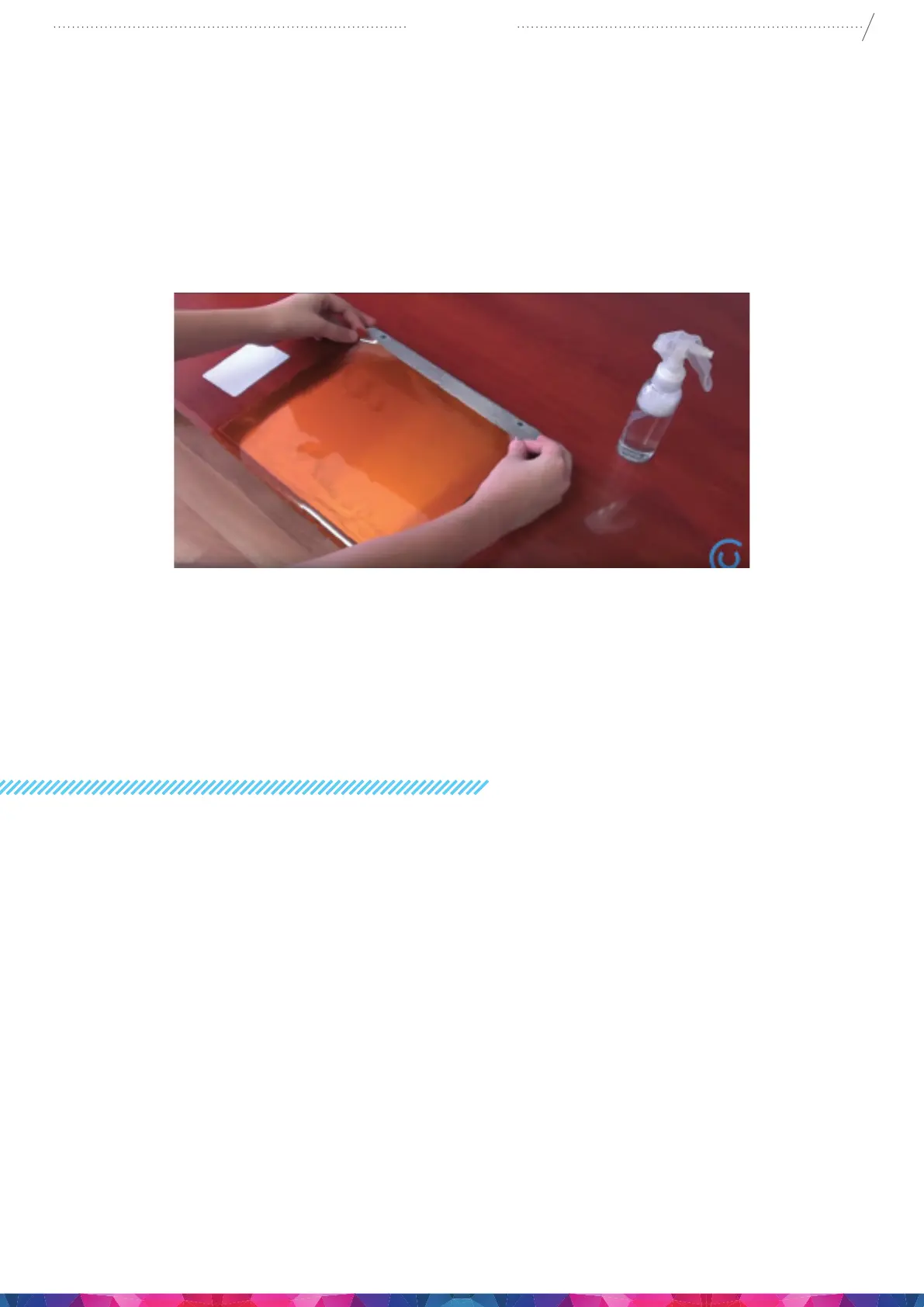
Remove the protective sheet from the new Kapton sheet then apply some window cleaning liquid onto
the stick surface of the New sheet, then spray the liquid onto the clean surface of the aluminium build
plate. Place the sticky side of the new sheet onto the plate. the access liquid will help you to position the
new sheet correctly.
Align the Kapton to the front edge of the aluminium plate (the side where the screws stick out). Once
the Kapton sheet is positioning correctly onto the plate, Place the protective sheet (which was removed
originally ) onto the top surface on the new Kapton sheet this will help to prevent any scratches or
damages during the squeezing out process of the remaining liquid from between the plate and the
sheet with a thin but solid object, like an unused credit card..
Start from the center of the plate and move horizontally and vertically. Once all the liquid has been
squeezed out and the sheet is applied properly, put the plate somewhere to dry. Allow the sticky part to
rest for 1 day before using giving time for the glue to set.
13. USEFUL THINGS
13.1. G AND M CODES
14.- G1: Linear move: E F S X Y Z
15.- G0: Linear move: E F S X Y Z
16.- G2: Draw lin arc: E F I J U X Y
17.- G3: Draw lin arc: E F I J U X Y
18.- G4: Dwell: P S
19.- G20: Set units to inches.
20.- G21: Set units to millimeters.
21.- G28: Move to origin: X Y Z
22.- G69: Random XY Killer: L Q S U V X Y
23.- G90: Set to absolute positioning.
24.- G91: Set to relative positioning.
25.- G92: Set position: E S X Y Z
26.- G100: Linear move: E F X Y Z
27.- G101: Relative linear move: E F X Y Z
28.- G102: Relative linear move width timeout: E F S T X Y Z 29.- G103: Clear timeout: S


 To Next Page