20
CraftBot 3
5.4.7. ACTIVATING THE FANS
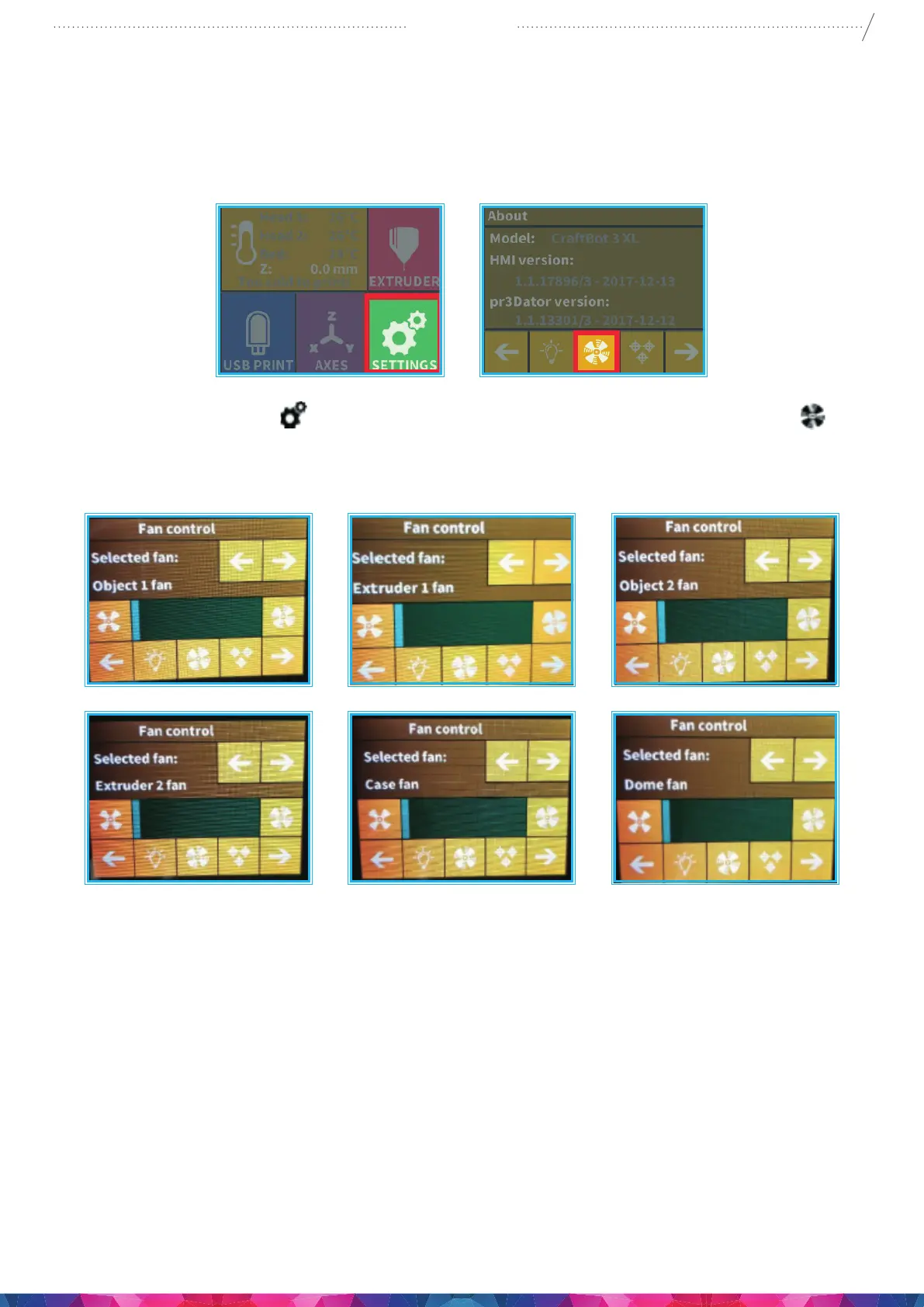
CraftBot has ve fans: object 1 fan, extruder 1 fan, object 2 fan, extruder 2 fan, case fan, and dome fan.
You can Activate and deactivate some of these fans while the printing is taking place. (The dome has to
be activated and set before printing starts).
1. Select the Settings menu
on the LCD screen and go to the 1st page select the Fan control icon.
2. Switch between fans by pressing arrows at the top of the screen. The name of the fan to be controlled
is displayed on the left of the screen.
Fan Control: Activate and deactivate the fans before or during printing to match your preferences.
Extruder and case fan settings automatically reset to default after 60 seconds.


 To Next Page