29
CraftBot 3
7.4.1. TWEAK FUNCTION MENU
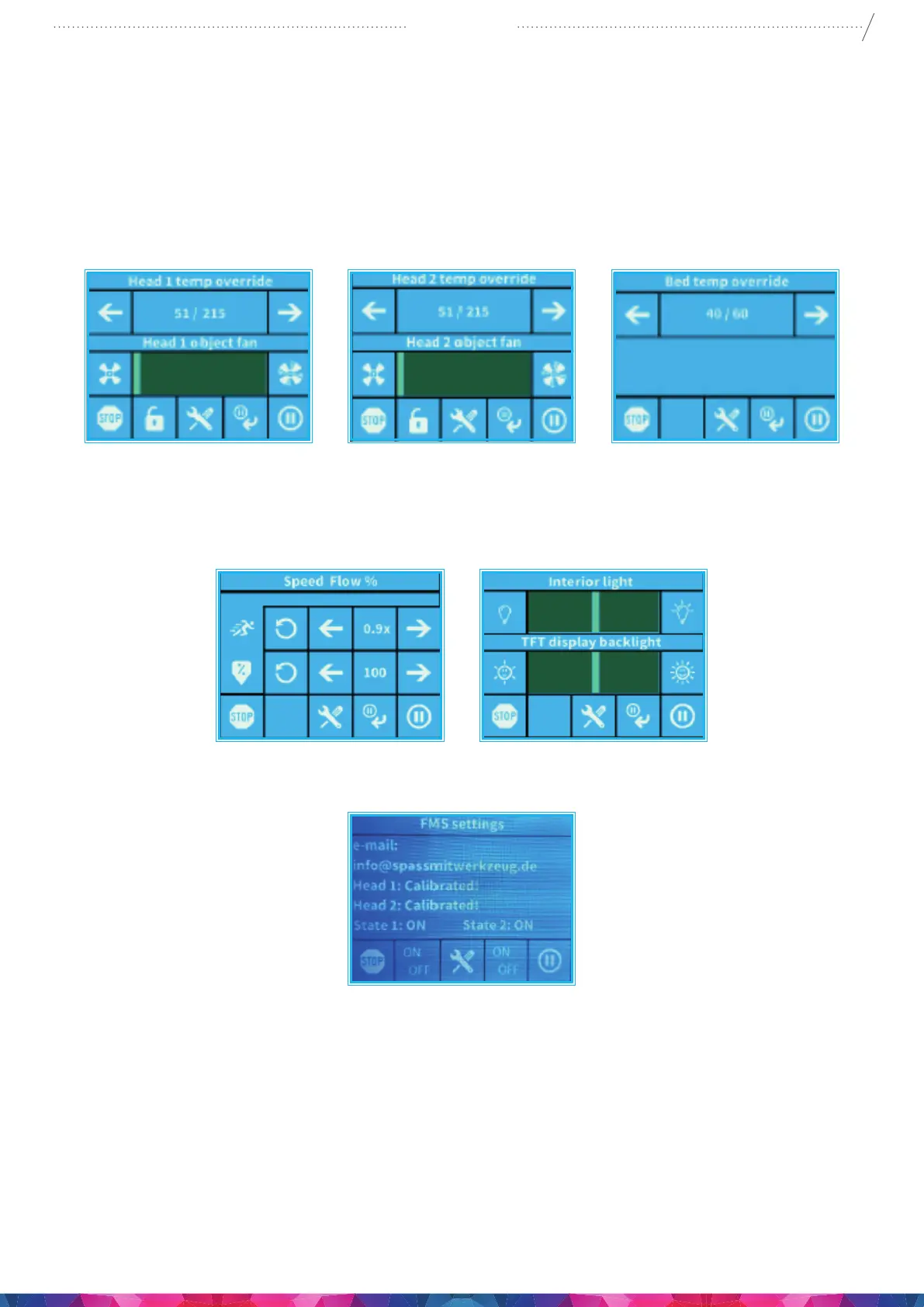
Setting function enables to change temperature, print speed, extrusion ratio, lighting, object fan control
settings.
The in-print tweaks overrule the settings in the gcode.
Temperaturemodication:Heads and bed temperature can be changed, with heads object fans. Set
the speed of the object fan. By default it is unlocked. If locked gcode can’t overwrite setting information.
Flowmodication: Print speed and extrusion volume can be modied in percentage ratio to the
original. Use the reset button to change back the values of the gcode.
Light settings: Lighting within the appliance and the display backlighting can be changed
FMS settings: The lament monitoring system observes the lament ow during printing.
7.4.2. PAUSE NEXT LAYER MENU
Pause next layer function will stop printing at the end of the current layer. Once the layer is nished,
CraftBot will switch to Pause menu. This is a toggle button – when the icon is crossed out, it means
that Pause Next Layer function is active. If pushed before the layer is nished it will continue printing
uninterrupted.


 To Next Page