3. ASSEMBLING THE PRINTER
3.1. INSTALLING THE ENCODERS
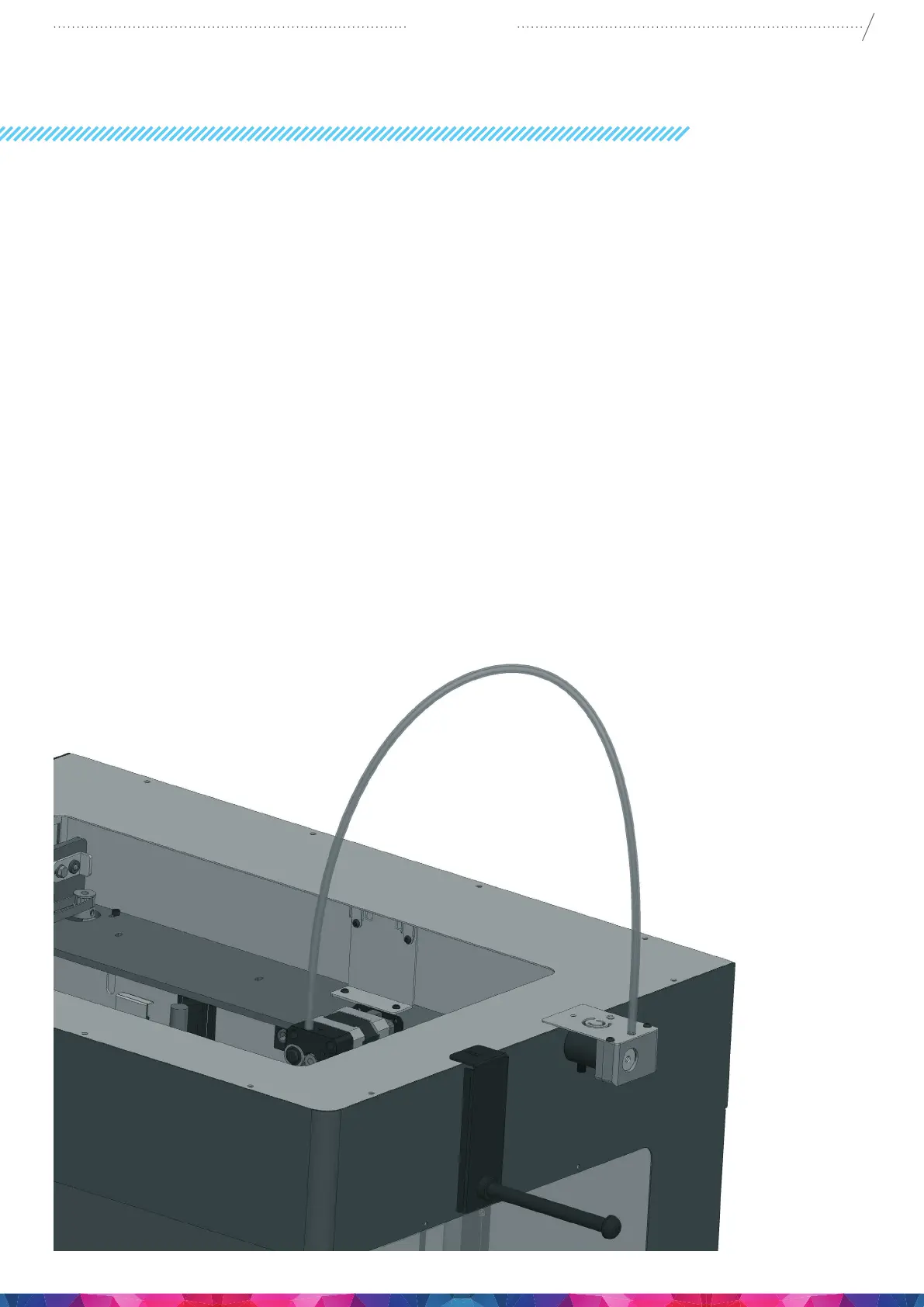
• Select the desired position for the encoders. Choose their position so that the lament spool bracket
ts beside them. And the lament drives directly up into the encoders from the spool.
• Plug the 2 Encoder cables into the encoder ports on the side of the printer. found beneath the USB
connector on the side of the machine. The upper one is number 1 and the lower one is number 2.
• When looking at the machine, the extruder on the left side is number 1, and the extruder on the
right is number 2.
7
CraftBot 3
3.2. INSTALLING THE FILAMENT GUIDE TUBE
• Fit the lament guide tube to the top of the extruder and the top of the encoder.
3.3. INSTALLING THE FILAMENT SPOOL HOLDERS
• Locate both of the lament spool holders.
• Using a hex wrench, install the lament spool holder next to the 2 FMS Encoders.


 To Next Page