18
CraftBot 3
Calibration:
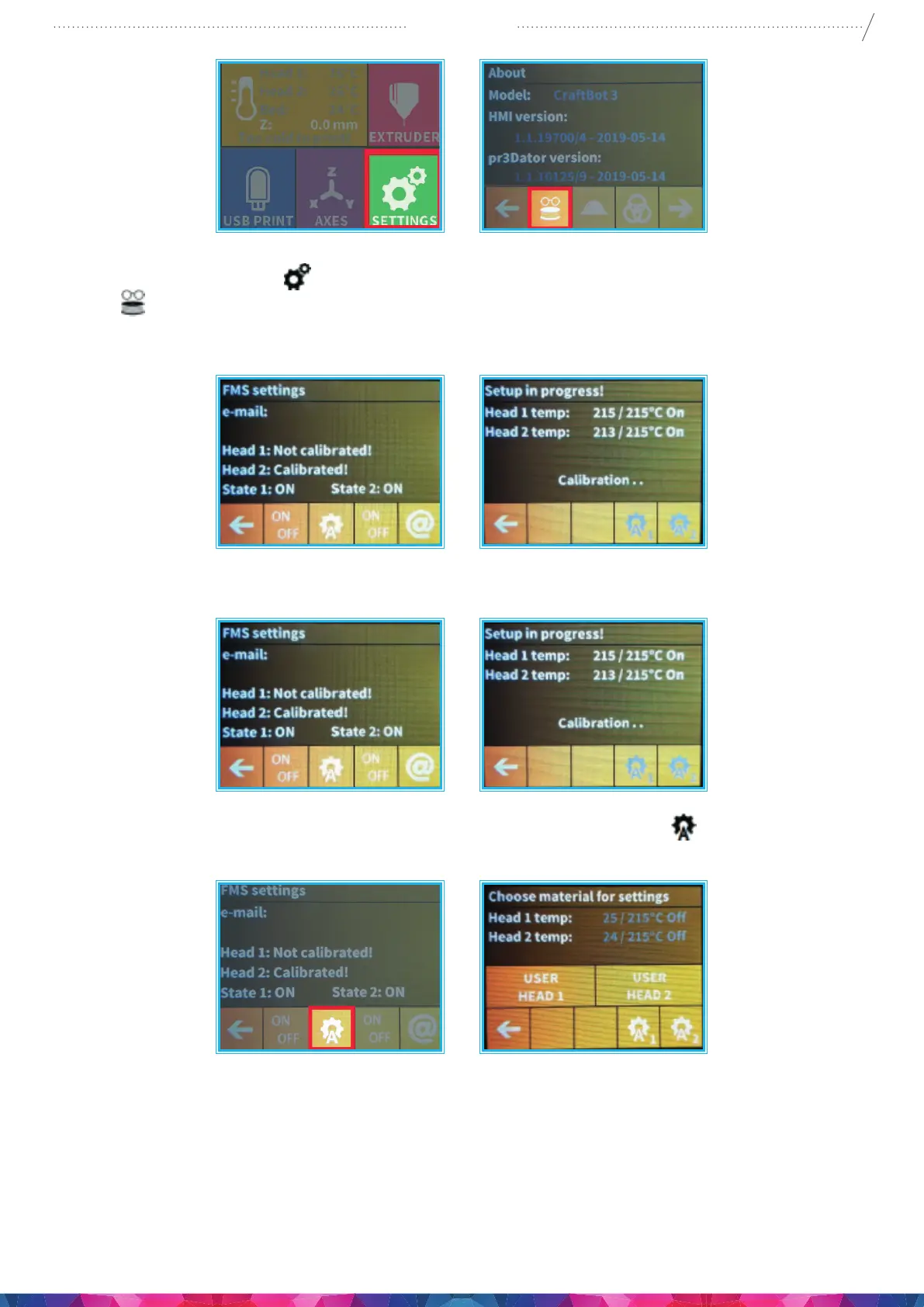
1. Select the Settings menu
on the LCD screen and go to the 4th page. Select the encoder settings
icon
.
2. Here you can view the status and see whether the function is turned on or o. You can change this
with the rst button.
3. You can provide your email address into the system just go to the @ icon, The printer will automatically
send a message if it is unable to resolve a jam.
4. Calibration can be initiated by touching the icon resembling an A with a cog
. You can set the head
temperature here. You can calibrate the appropriate encoder with the help of the rst two icons.
5. A test message can be sent after calibration so the user can check whether the email function is working.
In addition to the email, a message will also appear in the application and on the FMS reporting.


 To Next Page