OPERATOR’S MANUAL
15
SECTION 1
CONNECTING A TRANSDUCER
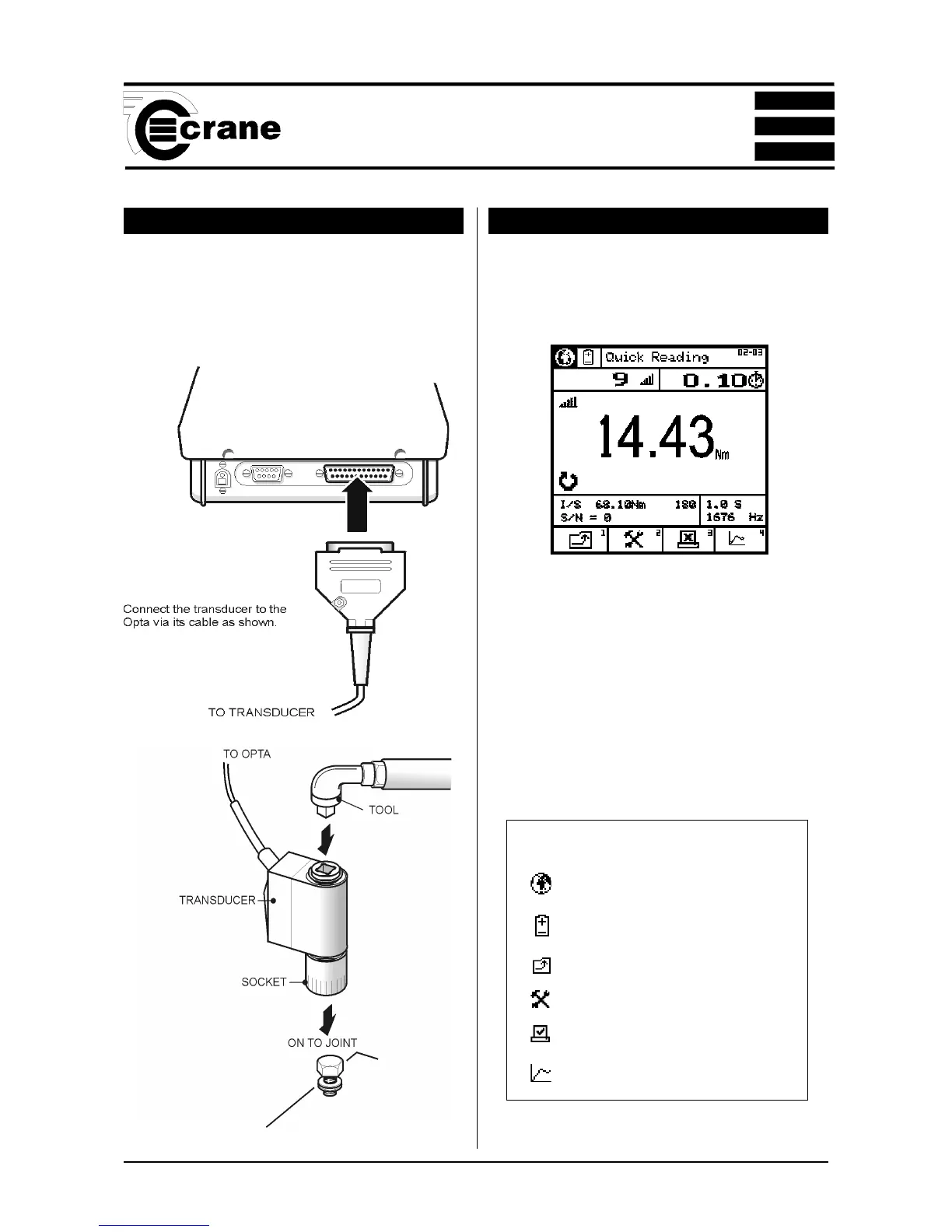
Connect a suitable transducer to the TorqueStar Opta via
the 25-way D connector at the rear of the TorqueStar as
shown. (For DTT - see section 2).
TAKING A READING (QUICK READ)
With the transducer connected to the TorqueStar Opta, apply
torque to the transducer using a suitable tool and observe
the reading on the screen.
This example shows a Pulse Mode screen. The display will
show the amount of torque applied in the chosen Units of
Measure (Nm shown here), the type of transducer and the
serial number. The information on the screen will vary
according to the type of Measure mode selected. The top of
the screen shows the mode selected, as an icon. The
direction of the applied torque is shown if applicable, and
the number of 'pulses' if in Pulse mode, or angle and rpm
if track selected.
Icons used in Quick Read mode
Change Language
Access Power Menu
Return to previous screen.
Setup - change the setup parameters
Autoprint ON/OFF
Plot



 To Next Page