OPERATOR’S MANUAL
27
SECTION 1
USING A BAR CODE READER
A Bar Code Reader can be used to input barcoded numbers
into the Opta. Crane recommends using a PSC QS 6000
Plus handheld laser scanner with RS232 output and
individual power supply suitable for code 39 or 3 of 9. For
use of other bar code readers, please refer to Crane
Electronics Ltd.
In Quick Store mode, barcode input is available for Industry
Standard transducer serial numbers.
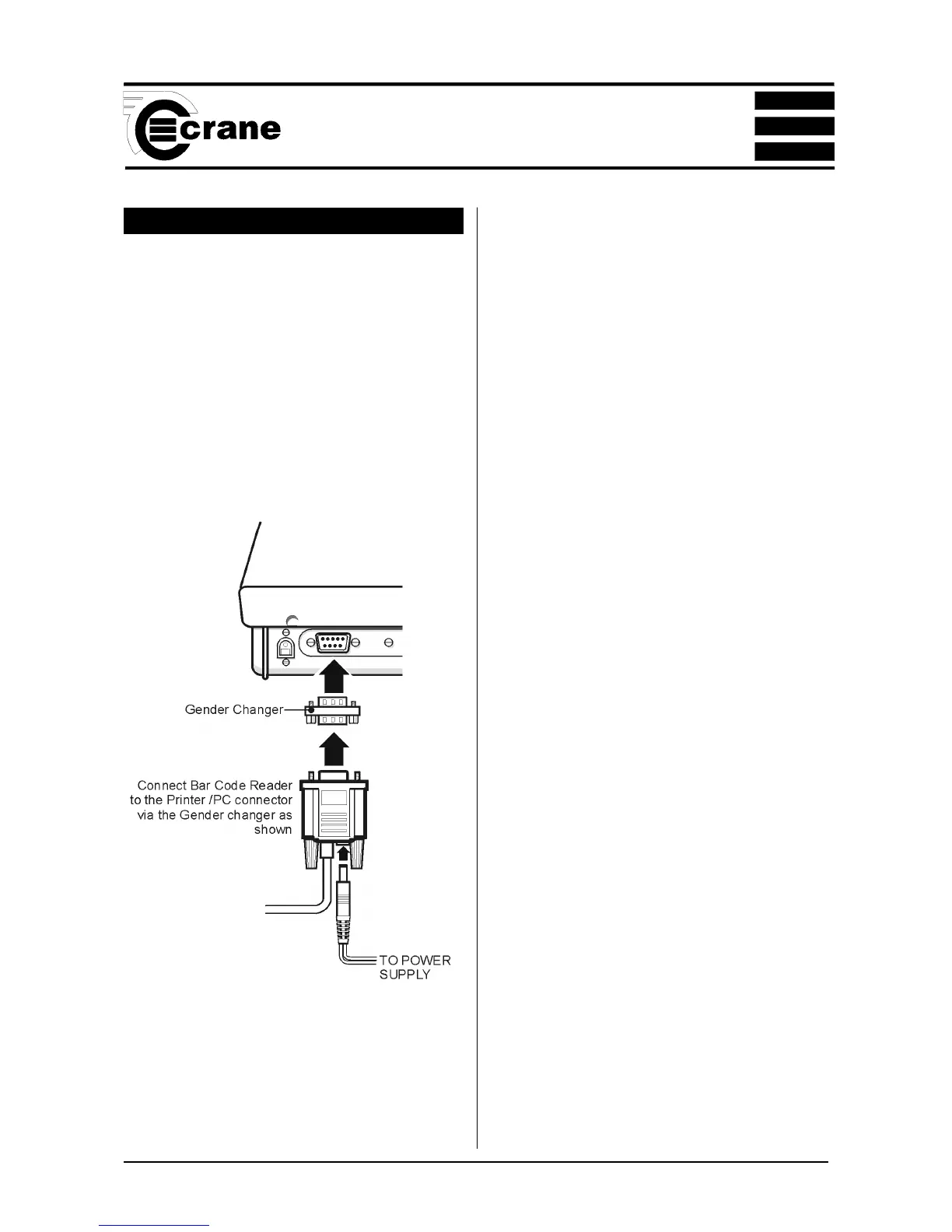
Connecting the Bar Code Reader
Connect the Bar Code Reader to the Printer/PC connector
at the rear of the Opta.
NOTE: for additional information, please refer to the
documentation which came with your scanner.
Before First Use:
The scanner must be setup by scanning the three codes on
page 28.
Certain text fields on the TorqueStar Opta will allow the input
of barcode data.
We recommend the data is only scanned once, and the green
ENTER key is pressed to verify the data is correct.
Jobs Mode
Barcode input is available for Industry Standard (IS) serial
number. Additionally, Barcode input is available in the
following modes:
nn
nn
n Job Name
nn
nn
n Description
nn
nn
n Search Field
nn
nn
n Subgroup Comment
nn
nn
n Subgroup Reference
Rounds Mode
nn
nn
n Create Round Name
nn
nn
n Description
nn
nn
n Search Field



 To Next Page