OPERATOR’S MANUAL
17
SECTION 1
From the Select Axis menu the user can select:-
Torque v Time
Secondary (parameter) v Time
(if secondary param. is available)
Torque v Secondary (parameter)
Toggle between highest value or average in between points.
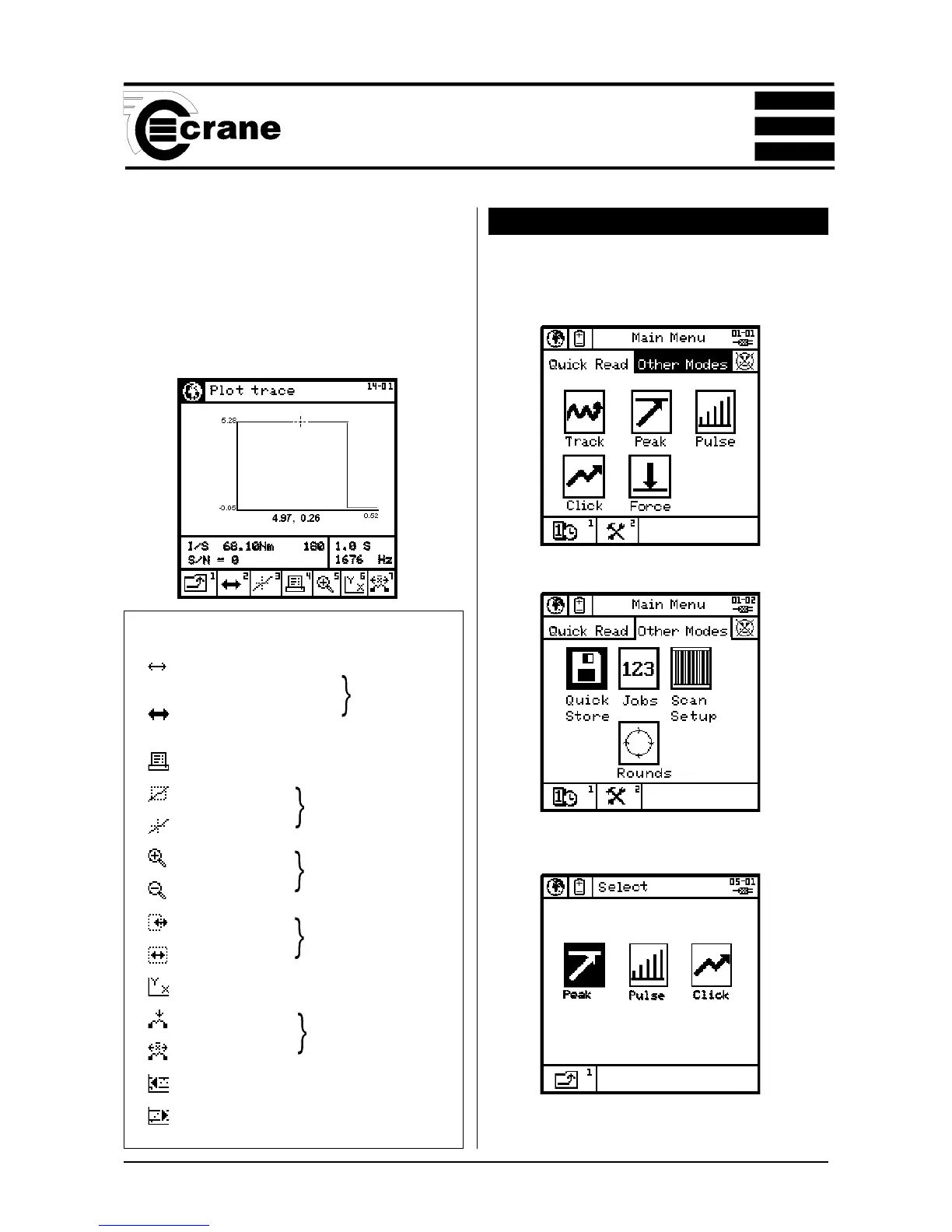
QUICK STORE MODE
When the TorqueStar Opta is switched on, the default
mode is Quick Reading. To access other modes select the
Other Modes panel.
A new screen appears. Select the Quick Store icon.
Highlight the Quick Store icon and select.
The available modes are: Peak, Pulse or Click.
NOTE: Before entering the QUICK STORE Mode, make
sure a suitable transducer is connected to the TorqueStar
Icons used in Plot Screen
Fine movement
(of cursor/zoom box)
Toggle
Coarse movement
(of cursor/zoom box)
Print graph
Zoom
Toggle
Cursor
Zoom in
Toggle
Zoom out
Move
Toggle
Resize
Change axis
Highest value
Toggle
Average
Scroll graph left
Scroll graph right



 To Next Page