OPERATOR’S MANUAL
19
SECTION 1
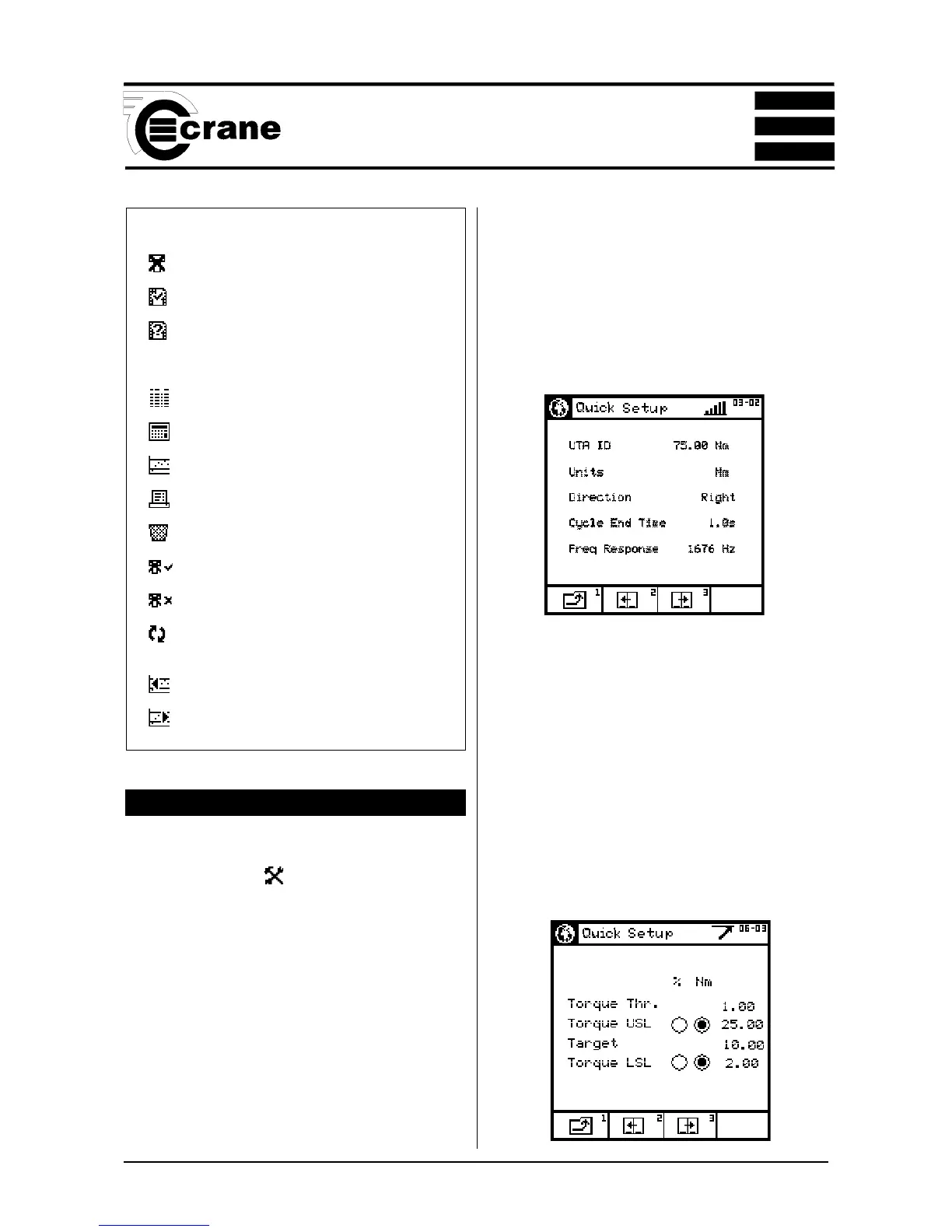
CHANGING THE SETTINGS (QUICK STORE)
To change the settings for the chosen Quick Reading mode,
select the Settings icon
The screen will now display the Settings Menu and the user
can change some or all the following settings:
Non UTA Transducer Settings
Units of Measurement
Direction
Cycle End Time
Frequency Response
Torque Threshold
Torque USL
Target
Torque LSL
Second Parameter
Second Parameter Threshold (if applicable).
Second Parameter USL
Second Parameter Target
Second Parameter LSL
The options available will vary according to the chosen
measure mode.
To change the Units of Measurement, highlight the
required Units from the list and ENTER.
To change the Direction of rotation, highlight the required
Direction (Right, Left or Auto) and ENTER.
To change the Cycle End Time, highlight the required figure
from the list and ENTER.
To change the Frequency Response, highlight the
required figure from the list and ENTER.
Icons used in the Quick Store mode
Fault cause indicator
Auto save ON
Autosave OFF -
press green ENTER button
to override
View readings
Statistics
Plot readings
Print
Delete
Include marked readings
Exclude marked readings
Toggle Torque/Second
parameter
Scroll Left
Scroll Right



 To Next Page