OPERATOR’S MANUAL
20
SECTION 1
To change the Torque Threshold, key in the required figure
(between the max. and min. displayed on screen) and ENTER.
To change the Torque USL (Upper Specification Limit),
key in the required figure (between the max. and min.
displayed on screen) and ENTER.
NOTE: The Torque USL and LSL can be displayed as
either a figure in the chosen Units of Measurement or as a
percentage of the USL. To change, highlight the desired
option (radio button) and ENTER.
To change the Target Torque, key in the required figure
(between the max. and min. displayed on screen) and ENTER.
To change the Torque LSL (Lower Specification Limit),
key in the required figure (between the max. and min.
displayed on screen) and ENTER.
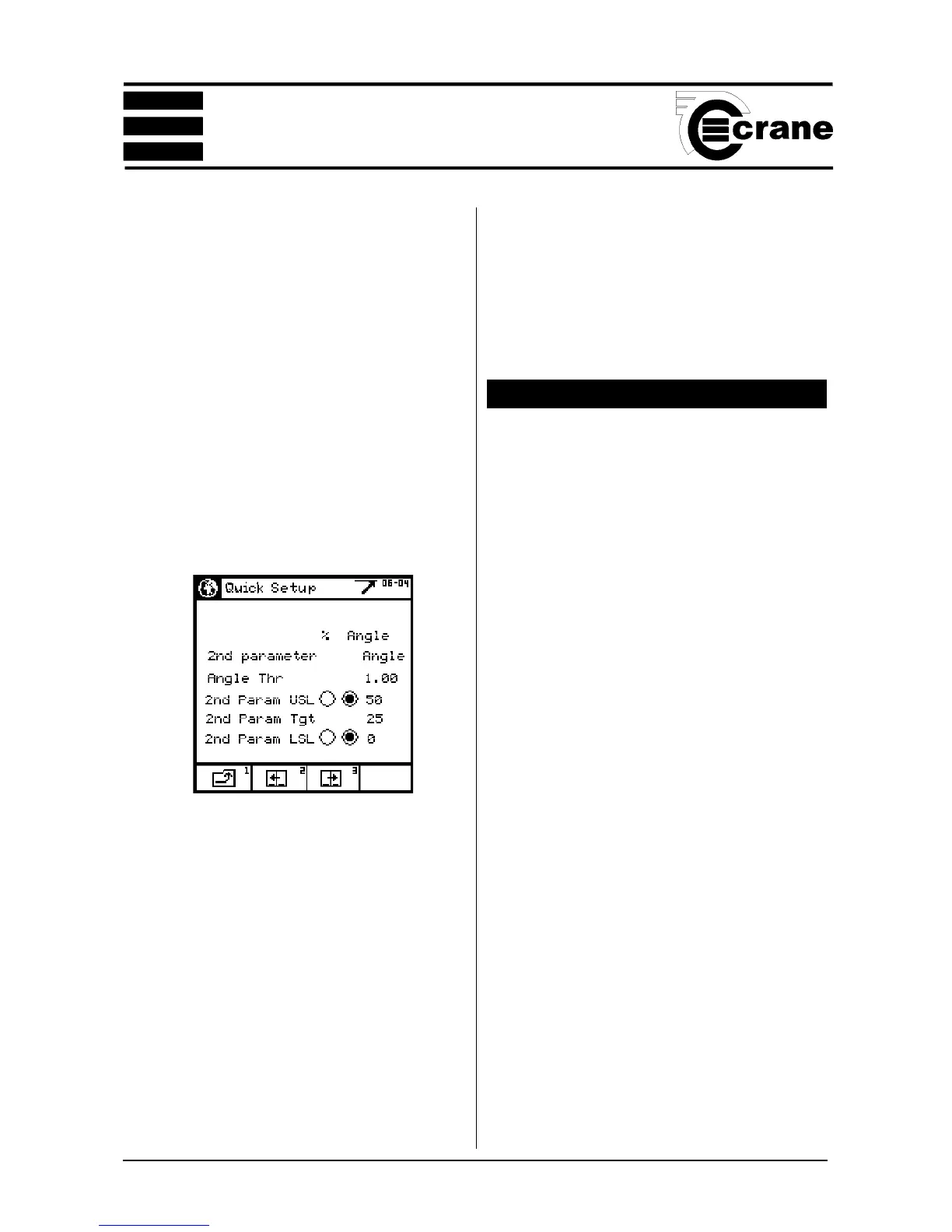
To change the 2nd Parameter, choose between Angle and
None, and Pulse Count (for Pulse measurements only) and
ENTER.
To change the Angle Threshold, key in the required figure
(between the max. and min. displayed on screen) and ENTER.
To change the 2nd Param. USL (Upper Specification
Limit), key in the required figure (between the max. and min.
displayed on screen) and ENTER.
NOTE: The Second Param. USL and LSL can be displayed
as either an angle or as a percentage of the USL. To change,
highlight the desired option (radio button) and ENTER.
To change the 2nd Param.Target, key in the required figure
VIEW READINGS (QUICK STORE)
From the Quick Store mode select View readings.
A list of the current readings will appear in a similar format
to the one shown below.
View Readings
# Torque Angle
Nm
001 10.05 OK 0.0 OK
002 10.04 OK 0.0 OK
003 10.11 OK 0.0 OK
004 20.01 HI 0.0 OK
005 20.05 HI 0.0 OK
006 8.50 OK 0.0 OK
007 10.11 OK 0.0 OK
008 3.11 LO 0.0 OK
009 10.12 OK 0.0 OK
This will show the number of each reading, the torque value
in the chosen Units of Measurement, the angle (if applicable)
and the status of the reading (Hi, LO or OK). Scroll down
the readings to access any not able to fit on to the screen.
Scroll left and right to view their values.
Options Available:
View the statistics for the list. See View Statistics. Page 21
See a plot of the readings. See Plot Readings. Page 21
Print the list.
Erase the list, the screen will prompt ‘Erase all readings?’
To return to the readings without erasing, CANCEL.
(between the max. and min. displayed on screen) and ENTER.
To change the 2nd Param. LSL (Lower Specificaton
Limit), key in the required figure (between the max. and min.
displayed on screen) and ENTER.



 To Next Page