BevMax_Media_Programming_10_6_10 Page 74 of 106
08/15/2013
B. When account and machine information is established by Vantiv or Heartland and Streamware,
they will email the following customer configuration file: “VixConfigData.cfg”.
C. Open up the computer drive where the USB memory stick is inserted.
D. Create a new folder called “atlas” on your blank USB stick.
E. Copy the emailed file “VixConfigData.cfg” and paste into the “atlas” folder.
9. Check Radio signal strength –
A. In Service menu, press ‘0’ for “Telemetry”.
B. Press line number for “Show Network Status”
C. The first line should show Node Type: “Gateway”. If it shows “Client” the radio is not
communicating the with board.
D. Check the RSSI parameter line on screen. If the signal strength is very low (above -100 DB), you
might consider switching to a different radio type (i.e., GSM vs. CDMA or vice-versa).
10. Assigning Telemetry:
A. Depress the Monetary Panel interlock switch and wait for security pin entry to appear on display.
Enter four digit pin (factory default = 3333).
B. Insert USB stick into any open USB port on control board.
C. At Service Menu screen, press the ‘O’ button for “Telemetry”
D. In Telemetry screen, press #1 for “Assign Unit”
E. The Control Board should now update the customer information from the memory stick. Once this
is complete, the BevMax Media will reboot (reboot will take 5 -7 minutes.).
(Note: Wait at lease 5 minutes to fully allow upload and reboot.)
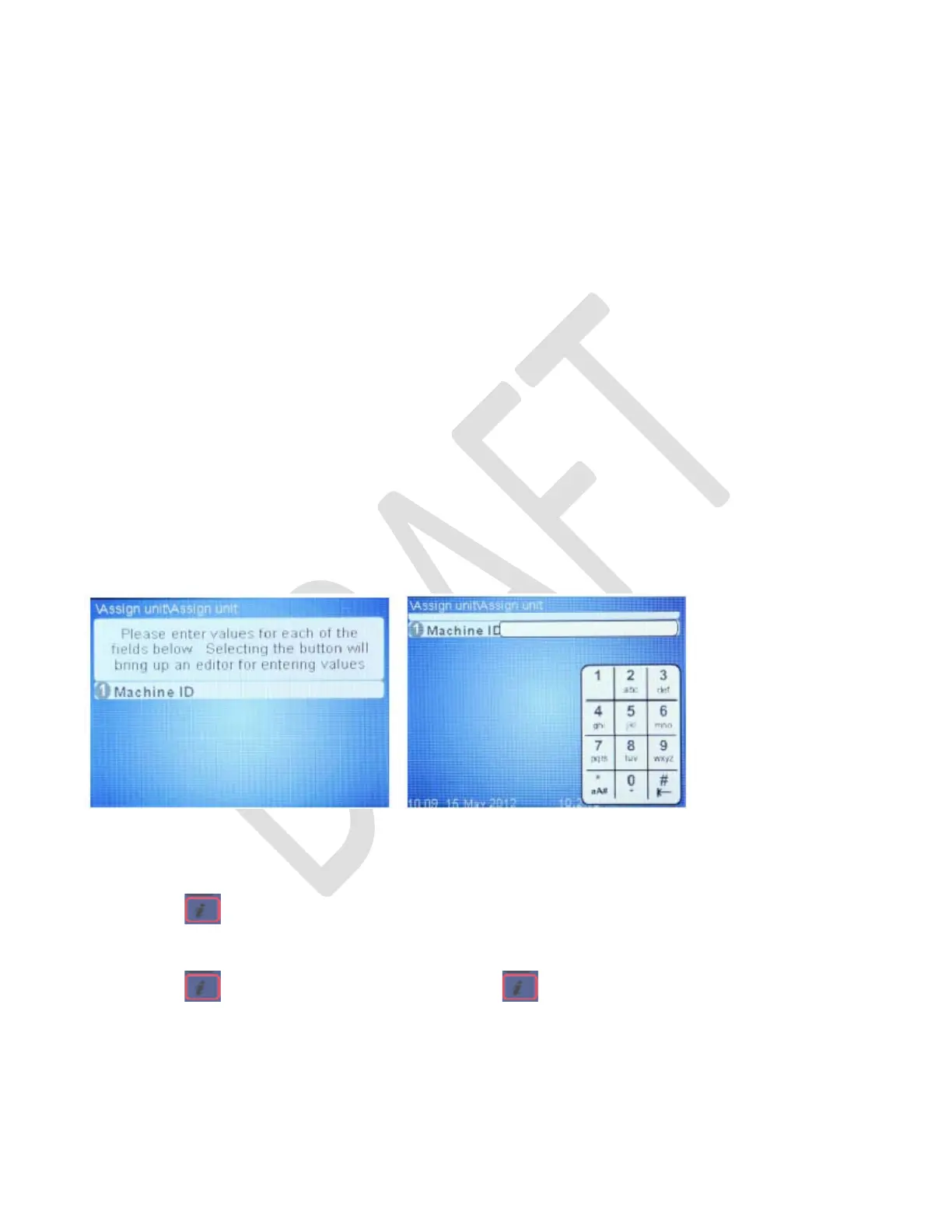
F. The following screen should appear:
• Press 1 and enter the machine ID
The Machine ID Keypad will be similar to a text type phone that does not have a full keyboard.
Press i button to change the keypad character function from Numeric / Alpha: Upper Case / Lower Case.
Example machine ID 34585 (p= pause for .5 seconds):
Press button twice. Press 3p 4p 5p 8p 5 then OK on the Keypad.
Example machine ID ABC123:
Press
button once. Press 2p 22p 222p then once. Then 1p 2p 3 then OK.



 To Next Page