109
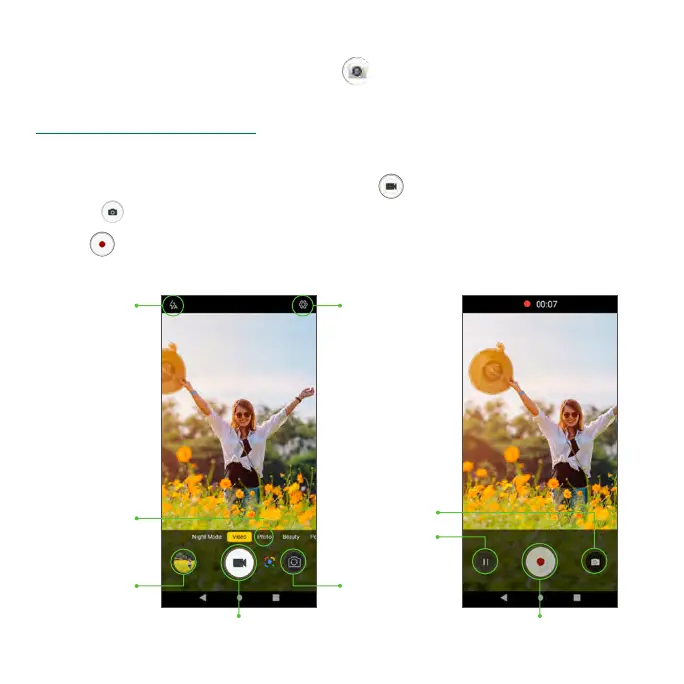
Record a video
1. From the Home screen, tap Camera .
Tip: You can also access the camera in one of the methods described under
“Take a photo” on page 108.
2. Tap Video to switch to Video mode (if necessary).
3. Aim the camera at your subject and tap to start recording a video.
• Tap to take the photo while recording.
4. Tap again to stop recording and save your video.
Switch Camera
Gallery
Record Video
SettingsFlash
Stop Recording
Pause
Take a Photo
Photo Mode



 To Next Page