18
Install a SIM/SD Card
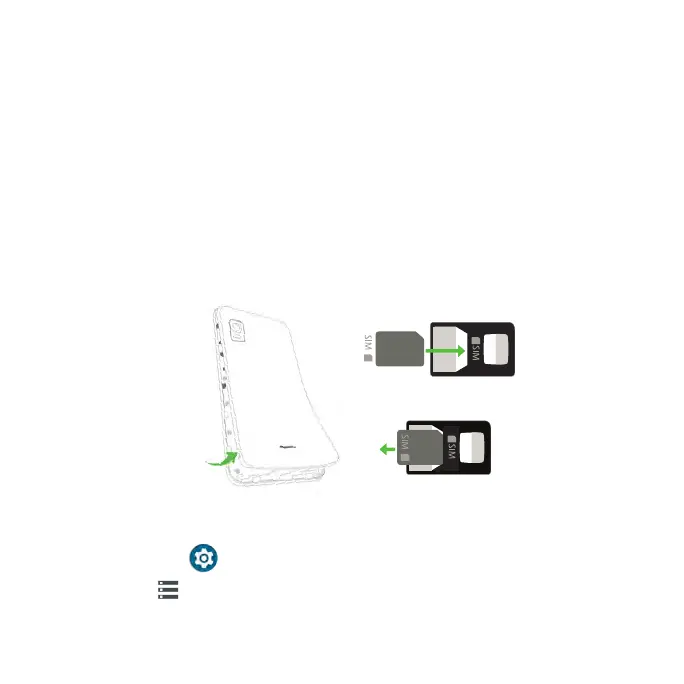
Insert a Nano SIM/microSD card
1. From the back of the phone, locate the notch at the lower left corner of the
back cover and lift the back cover firmly to remove it.
Note: The back cover cannot be removed while the charger is plugged in.
2. On the back of the phone, slide the Nano SIM card into the SIM card slot at
the top left of the phone with the gold contacts facing down.
3. Slide the microSD card into the SD card slot at the top right of the phone.
4. Replace the back cover and press firmly around the sides and all four
corners until it snaps into place.
Mount an SD card
1. With an SD card inserted, swipe up from the Home screen to access Apps
and tap Settings .
2. Tap Storage > SD CARD.
3. Tap MOUNT on the prompted screen.
Back removal notch
Insert SIM card
Eject SIM card



 To Next Page