82
Share a contact
You can quickly share contacts using Bluetooth, Gmail, or text messaging.
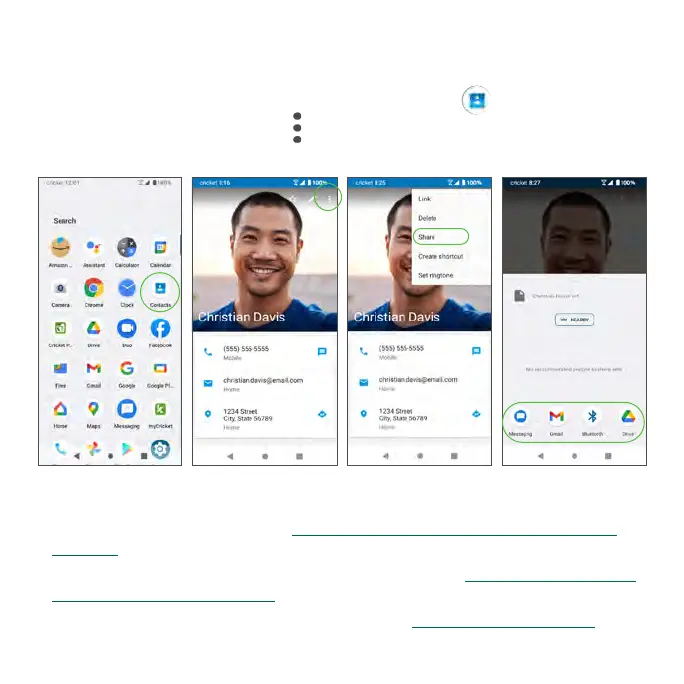
1. From the Home screen, swipe up and tap Contacts .
2. Tap a contact and tap Share .
3. Select how you’d like to share the contact information card (vCard).
• Messaging: Send the vCard in a text message. You can send the
information in an existing conversation thread, or create a message for a
new conversation thread. See “Send a multimedia message (MMS)” on
page 84 for more information about sending messages.
• Gmail: Send the vCard as a Gmail attachment. See “Create and send an
email message” on page 88 for more information on sending emails.
• Bluetooth: Send the vCard via Bluetooth. See “Bluetooth” on page 98 for
information on pairing and sending via Bluetooth.



 To Next Page