179
Screen lock
1. From the Home screen, swipe up to access Apps and tap Settings .
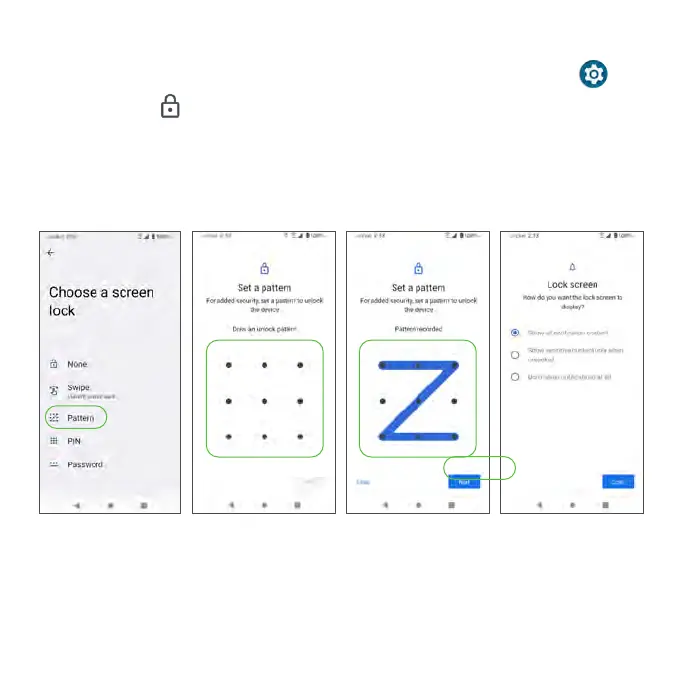
2. Tap Security > Screen lock.
• None: Disable any screen lock.
• Swipe: Tap to set swipe to unlock.
• Pattern: Tap to set an unlock pattern. Follow the prompts to finish the settings.
• PIN: Tap to set a PIN code as the screen unlock method.
• Password: Tap to set a password as the screen unlock method.
Important: To protect your phone and data from unauthorized access, it is



 To Next Page