155
Apps
View current running applications.
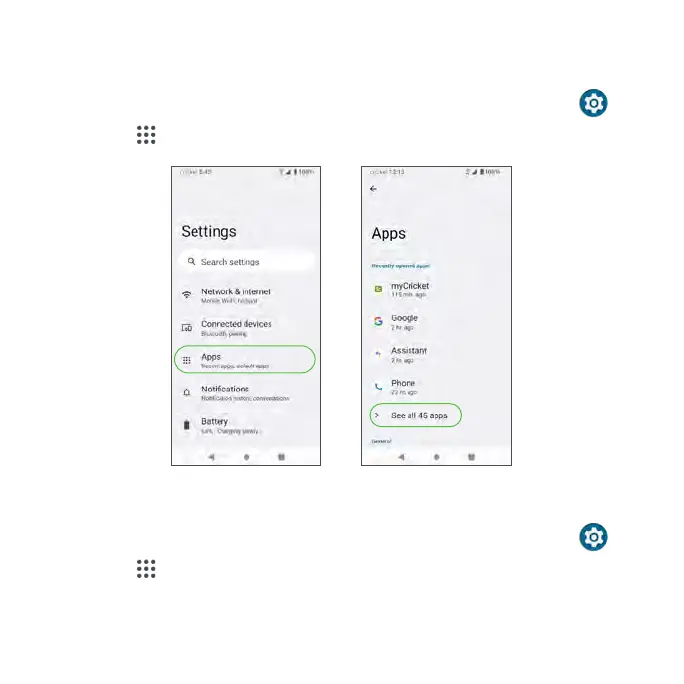
1. From the Home screen, swipe up to access Apps and tap Settings .
2. Tap Apps .
Recently opened apps
1. From the Home screen, swipe up to access Apps and tap Settings .
2. Tap Apps > see all apps.
3. Tap an app to view detailed information. Tap DISABLE to disable this app,
or tap FORCE STOP to stop this app.



 To Next Page