63
Phone
Make a call
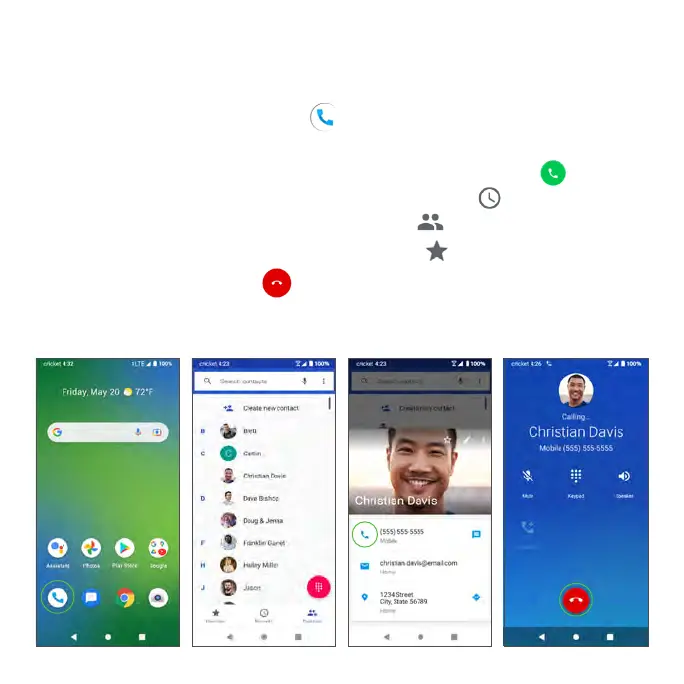
From the Home screen, tap Phone .
• Make a call by selecting one of the following options:
• Enter a phone number into the keypad, and tap Call .
• Choose a recently called contact in Recents .
• Choose a saved contact in Contacts .
• Choose a favorite contact in Favorites .
• During a call, you can tap at the bottom of the screen to hang up.
• Calls can also be made from other apps that contain your contact
information. Simply tap the phone number to make a call.



 To Next Page