80
Edit a contact
Add or edit a contact’s information, assign a photo, customize with a unique
ringtone, and more.
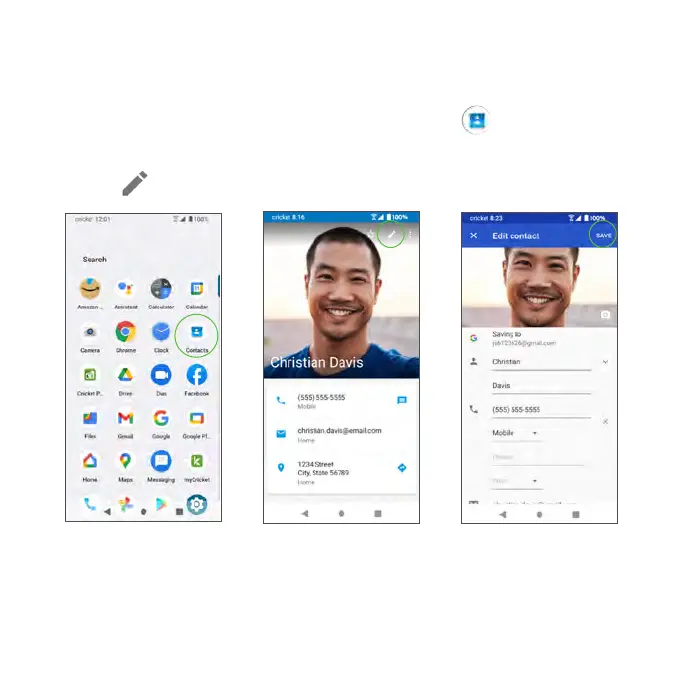
1. From the Home screen, swipe up and tap Contacts .
2. Tap a contact to view their details
3. Tap Edit .
4. Tap the field you want to change or add.
5. Add or edit the information, and then tap SAVE to save.
Note: To select a category for a phone number, email address, or postal
address (such as Mobile, Home, Work, etc.), tap the arrow near the field.



 To Next Page