115
Crop a picture
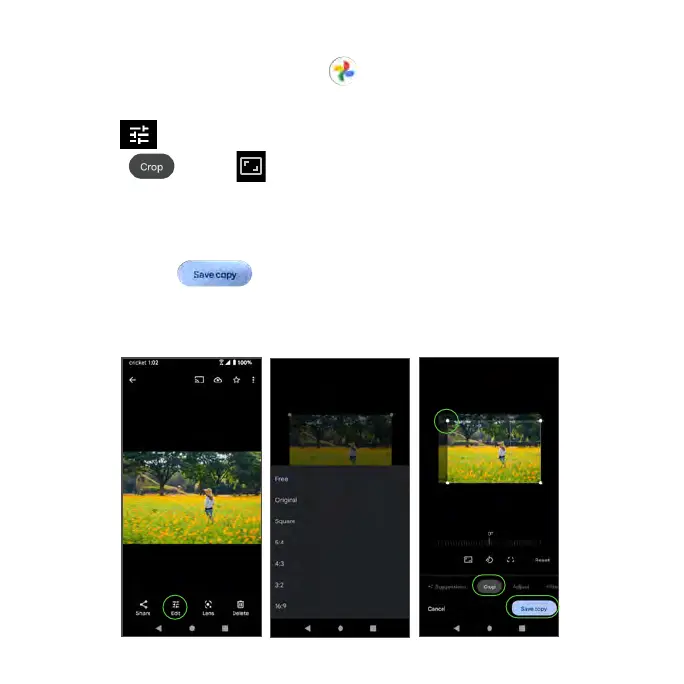
1. From the Home screen, tap Photos .
2. Tap the photo you want to crop.
3. Tap Edit to access the Edit screen.
4. Tap Crop > Crop . A crop box and size menu will appear on the
photo.
5. To adjust the crop box size, drag the corners inward or outward to resize the
crop box or choose from the preset options in the menu.
6. Tap Save copy to apply the changes to the photo and save.
The cropped photo is saved in the album as a copy. The original photo will
remain unedited.



 To Next Page