41
Google keyboard
The Google keyboard offers a traditional QWERTY keyboard setup for entering
text by tapping keys (like on a computer), along with options that allow
you to enter text faster and more accurately, such as continuous key input,
personalized usage dictionaries, and more.
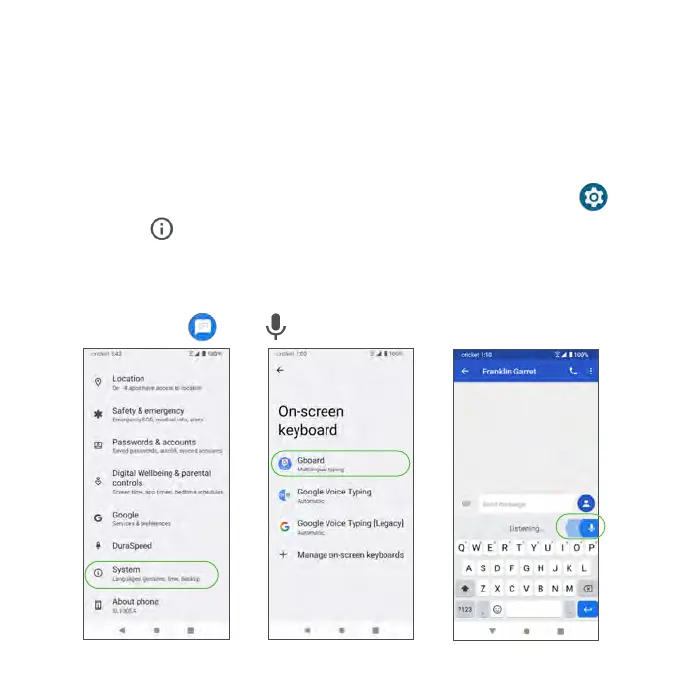
Access Google keyboard settings
1. From the Home screen, swipe up to access Apps and tap Settings .
2. Tap System > Languages & input > On-screen keyboard > Gboard.
Google Voice Typing
Google Voice Typing uses Google Voice
TM
recognition to convert speech to text.
1. From Messaging , tap and speak.



 To Next Page