58
Change the wallpaper
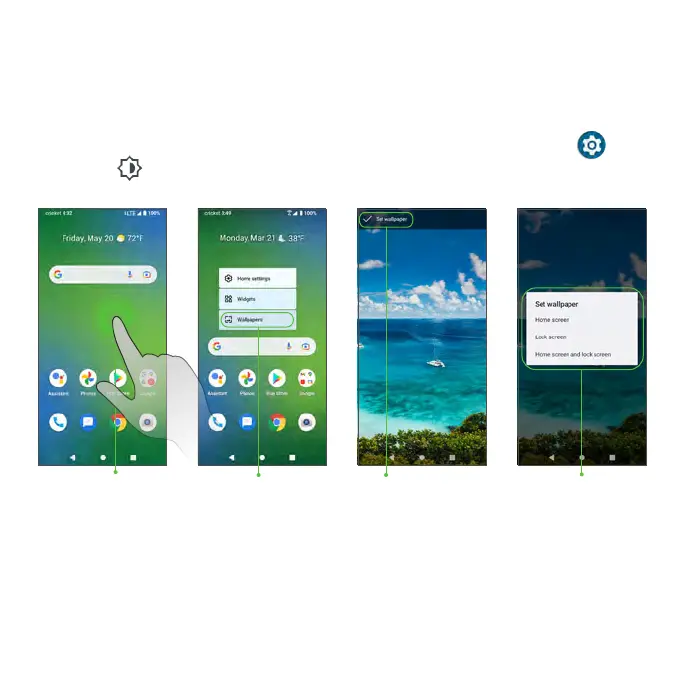
1. From the Home screen, touch and hold an empty space, then tap
Wallpapers on the Home screen menu.
Tip: You can also access the Wallpapers menu from the Settings menu.
From the Home screen, swipe up to access Apps and tap Settings >
Display > Wallpaper.
Tap Wallpapers
2. Choose to select the wallpaper from your Local album or System wallpaper
preloaded on the phone.
3. Tap Set wallpaper at the bottom of the screen and choose to set the
wallpaper on the Home screen, Lock screen, or both.
Preview or set
wallpaper
Touch and hold
an empty space
Choose where
to apply wallpaper



 To Next Page