
 Need help?
Do you have a question about the CTX NEXT and is the answer not in the manual?
Details on the manual's content and integrity verification.
Important safety information and advice for proper use and maintenance.
Explanation of safety symbols used throughout the document.
Disclaimers regarding document accuracy and potential changes.
Restrictions on reproducing or copying the manual.
Manufacturer's responsibility for equipment safety, reliability, and performance conditions.
Defines intended use and crucial safety precautions to avoid danger.
Guidelines for ensuring operator safety during electrical connections and use.
Protection against liquid infiltration and environmental safety considerations.
Details on electronic compartment protection and EMI/RFI compliance.
Environmental impact reduction, material recycling, and disposal guidelines.
Specific warnings regarding components like LCD displays containing toxic materials.
Guidelines for shipping, receiving, and handling the equipment.
Potential hazards associated with packaging materials and electrical equipment use.
Procedure for safely dismantling the equipment, focusing on electrical disconnection.
Information on the warranty period and conditions, including invalidation clauses.
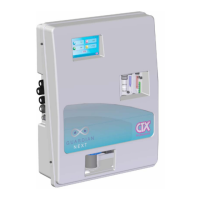
Overview of the analyser's composition: electronic case, measurement cell, and filter.
Description and diagram of the system's hydraulic components and connections.
Key technical data including standards compliance, power supply, and environmental conditions.
List of directives the equipment complies with, such as low voltage and EMC.
Details on the different available versions of the NEXT instruments and their functions.
Specifications for the instrument's physical components: display, CPU, memory, casing, etc.
Details on the instrument's software functionalities: safety, alarms, display, archive, etc.
Physical dimensions of the NEXT instrument and its wall mounting plate.
Instructions for installing the equipment and electrical wiring.
Summary of box contents and accessory list for different GUARDIAN NEXT models.
Guidance on mounting the control unit, including drilling hole dimensions and leveling.
Steps for connecting water inlet, by-pass, and outlet tubes to the system.
Procedure for assembling pH or RX electrodes into the probe holder.
Instructions for installing the chlorine probe into the probe holder.
Steps to adjust water sample flow using the needle valve and float indicator.
Guidelines for connecting the equipment to the mains power supply.
Instructions for connecting a temperature probe (PT100) to the instrument.
Description of the control unit for dosage management.
Overview of the instrument's main display after startup, showing measured variables.
Steps for initial setup: language selection and date/time configuration.
Sequence for configuring set-point values for measurement channels and relays.
Procedure for setting 4-20mA analogue output values for proportional pump control.
Detailed steps for performing pH probe calibration using buffer solutions.
Procedure for calibrating REDOX and CHLORINE probes.
How to view graphical trends of measurements on the instrument's screen.
Steps to upload and install new firmware using a USB memory stick.
Instructions for resetting the instrument to its default factory settings.
Regular cleaning of the station surfaces using a damp cloth.
Procedure for cleaning the hydraulic circuit's filter cartridge.
Guidelines for cleaning pH, ORP, and Chlorine electrodes.
Visual inspection of the hydraulic circuit for leaks or damage.
Troubleshooting steps for common mechanical issues like leaks.
Troubleshooting for electrical faults, such as no luminous signal or display off.
Steps to resolve incorrect measurement readings, including calibration checks.
 General
| Brand | CTX |
|---|---|
| Model | NEXT |
| Category | Controller |
| Language | English |

 To Next Page

