42
0306 / 13 013 497A
TC
Start up
Functions
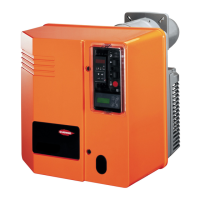
Control panel TC
Control panel TC
All control elements can be seen from
the outside.
A transparent removable lid, clipped on
cover, provides access to various
controls and commands that enable to
set, then operate burner.
Control panel TC also includes a cell
current, two green indicators showing
type of fuel used and the control circuit
protective fuse.
To remove lid, press one side or both
sides of s and pull towards you to free
it.
To put lid back, place in casing and
press both clips in.
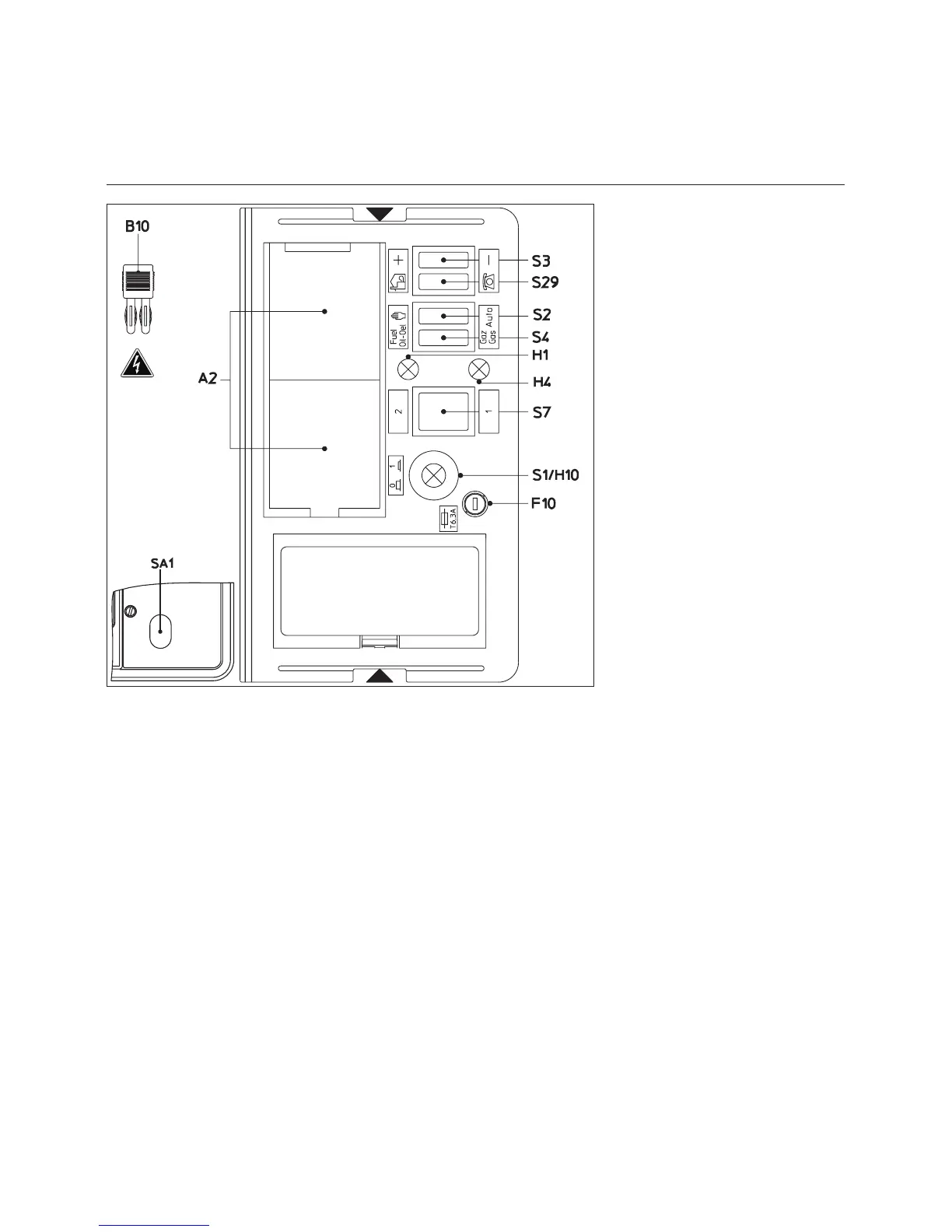
Switch functions on the control panel
(TC)
A2 Standardized 48x48 or 48x96 mm
positions for installation of a power
regulator (option)
B10 Measuring bridge [µA DC]
of cell current, located next to the
motor protection device
F10 Fuse of the control panel (TC)
Green indicators
H1 OIL fuel
H4 GAS fuel
S1 General switch of TC
0 Not supplied with voltage
1 Supplied with voltage
Green indicator H10 illuminated
S2 Choice of power setting
K Manual mode with S3
Auto Localised mode
S3 Function coupled with
S29J - S2K
+/- Power increase/decrease
S4 Function coupled with
S29J - S2K
Selection of oil fuel or gas fuel
S7 Function coupled with
S29J -S2K
Manual selection of oil stages
S7.1 Min air flow
S7.2 Nominal air flow
S29 Switch of selection of control type
K Localised mode
H Remote control mode fuel
change over (option)
SA1 The control unit displays:
- program cycle,
- faults : red light illuminated
and reset pushbutton


 To Next Page