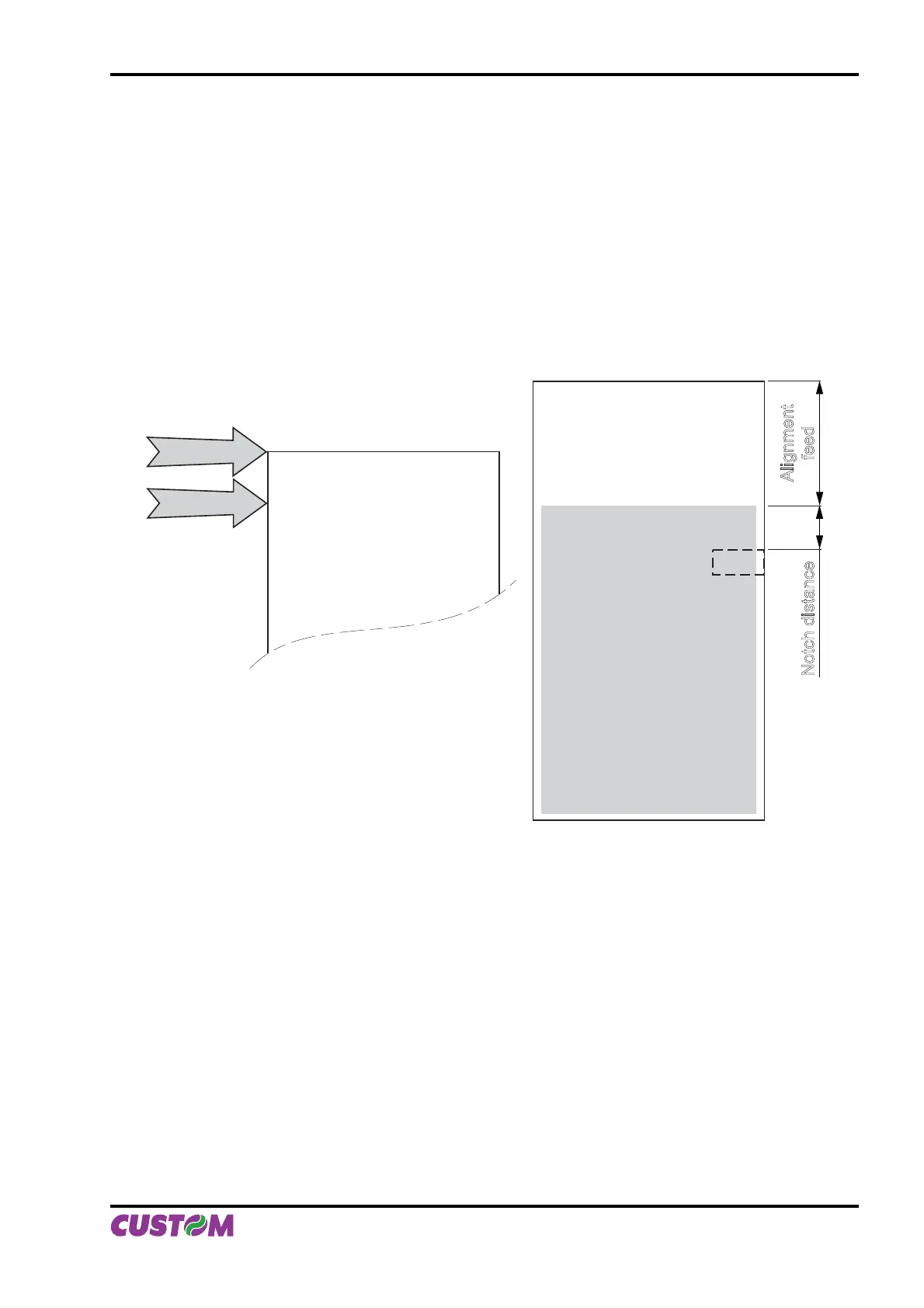
B.4.1.2 Alignment at printing
Alignment at printing requires the following sequence of commands:
1. Ticket general setting; formatting of characters, print density, margins etc.
2. Print alignment commands: $1D $F6
3. Print ticket: Printing of text, logos or any other graphics.
4. Cut commands
The result is shown in fi gure B.14.
Unlike the previous case, the alignment feed takes place before the start of printing, so as to align the print
area in the position required.
PRINT HEAD
CUTTER
PAPER IN
THE PRINTER
Printed area
Alignment
feed
Notch distance
(Fig.B.14)
APPENDIX B - ALIGNMENT MANAGEMENT
User Manual VKP80II B-11



 To Next Page