A.3 NOTES FOR TECHNICAL ASSISTANCE
ATTENTION: The operations here described are exclusively aimed to the personnel handling
the technical assistance of the printer.
A.3.1 Replacing fuse
ATTENTION: Before replacing the fuse, it’s important to check up that the supply cable of the
printer is out.
The fuse is on the control board of the printer, near the supply connector (fi g. A.18), proceed as follows :
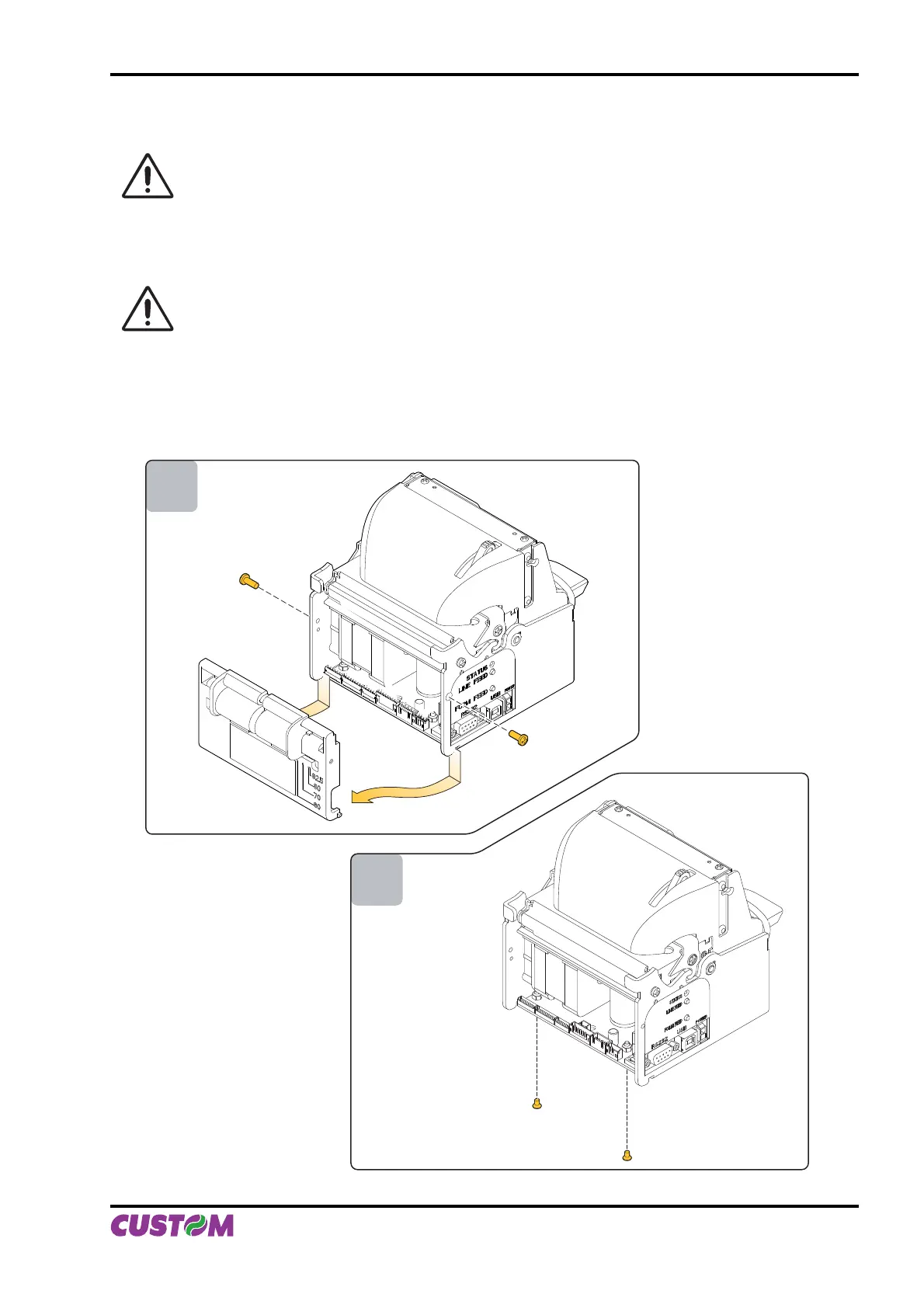
Unscrew the two fi xing screw for the back closing. Move back closing down and then remove as shown •
in fi g. A. 14.
Unscrew the two screws that fi xing control board to the chassis as shown in fi g. A.15.•
1
2
(Fig.A.14)
(Fig.A.15)
APPENDIX A - ACCESSORIES AND SPARE PARTS
User Manual VKP80II A-9



 To Next Page