9. Tap Device Installed to select A/V type.
LED console
No TV availableNo TV
No further setup is requiredAttached TV
See Shared TV Setup
Wireless TV
See Personal TV Setup
C.A.B. or Connected TV
E3 View Monitor
See Embedded TV Setup
Tuner (coax connection)
See Embedded TV Setup
STB + Tuner (Set Top Box and coax cable con-
nection)
See Embedded TV Setup
STB + HDMI (Set Top Box and HDMI cable
connection)
10.
Tap the Toolbox icon to return to the Toolbox screen.
11. Plug in headphones to listen for channels during setup.
Shared TV Setup
The shared TV configuration uses a Wireless Audio Receiver Module to receive audio. TV's are mounted
on a wall or hung from a ceiling.
Tools Required:
Headphones (not included)
Setting up the Cybex Wireless Audio Receiver Module requires three steps:
1. Determine the type of transmitter used (MYE 900MHz, Broadcast Vision 863MHz, etc.
Page 37 of 261
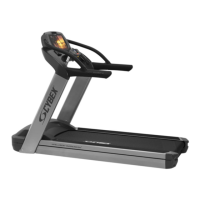
Cybex 770T/790T Treadmill Part Number


 To Next Page
 Loading...