39
• Minimum Limit – this is the lowest thickness measurement,
measurements under this value will cause an Alert
• Reference Limit – this is the ‘correct’ thickness value, or
when corrosion monitoring this is usually set to the thickness
of the steel/material when it was new.
• Maximum Limit – this is the highest thickness measurement,
measurements over this value will cause an Alert. This limit is
optional and can be set to zero.
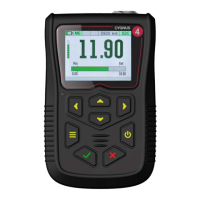
When Limits are enabled the measurement screen displays a
horizontal bar-graph showing the limits and the current
measurement in relation to these limits. The colour of the bar also
changes from light green to dark green to red as the measurement
moves from the reference value to the minimum or maximum
limits.
Thickness Measurement = Reference = Light Green Bar.
Limit Example


 To Next Page