Cyrus Pre
2
DAC User Instrucons
12
Display mode
There are three modes of display operaon.
Factory Sengs
You can restore the conguraon of your amplier to the
factory original sengs, changing the input names to those
listed above, seng the display mode to ‘small input names’
and seng all input sensivity trim sengs to 0dB.
To restore the sengs, rst disconnect the power cord from
the amplier. Hold down the setup key on the front panel
and re-connect the power cord.
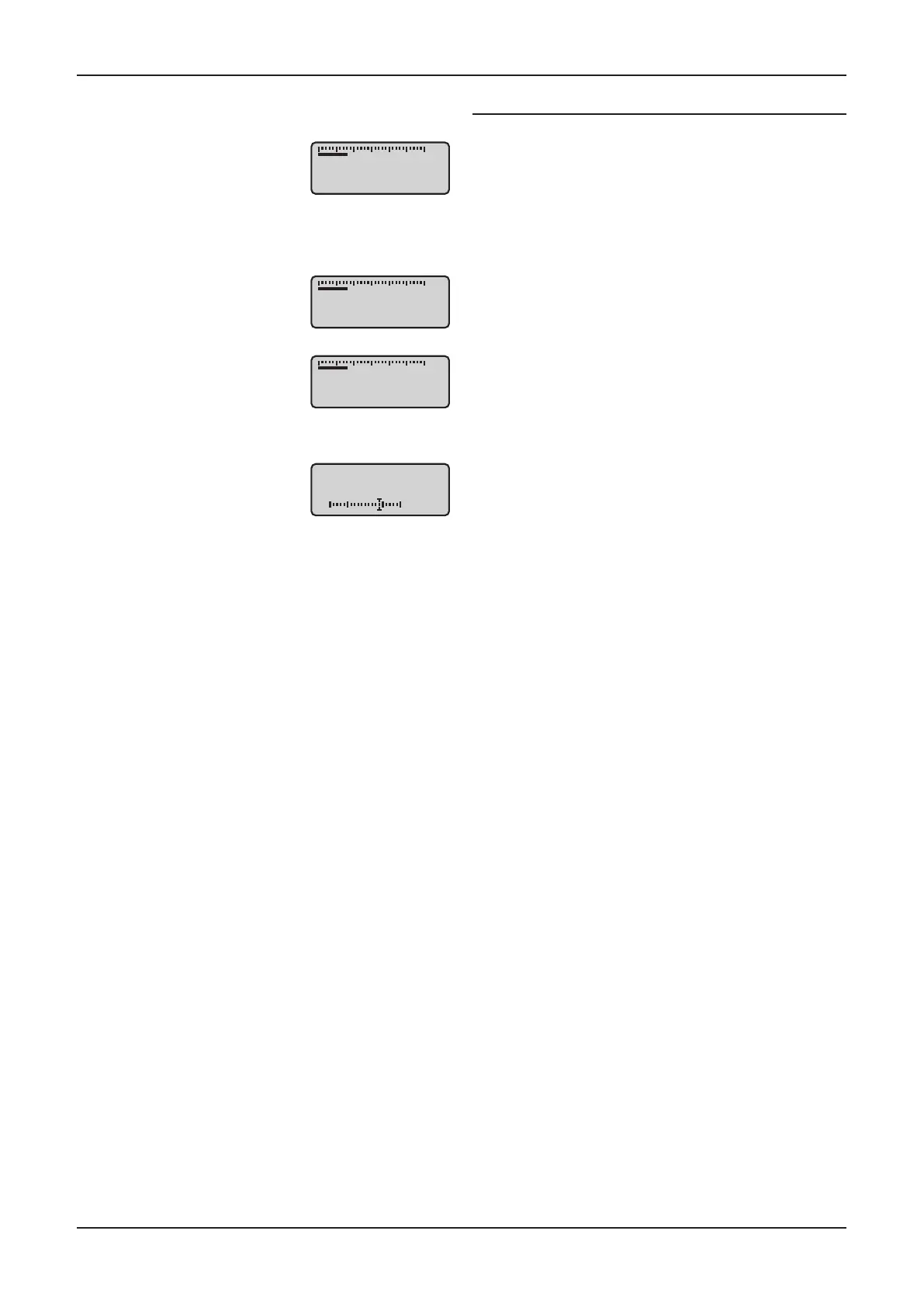
The ‘small input’ seng will show a
three line display with the volume
reading at the top of the display,
the selected input in the display
centre and the current sample
rate/lock status at the boom
when a digital input is selected.
The ‘large input’ seng will show
a two line display with the volume
reading at the top and a larger
input legend below.
The ‘large volume’ seng will
display large volume characters at
the boom of the screen with the
bargraph above.
Input sensivity oset
It is possible to adjust the relave
sensivity of individual inputs
by selecng the appropriate
trim opon from the menu. This
enables the volume level when
playing low or high output source
components such as tape decks or
tuners to be equalized between
system sources.
-27
CD
-27
-27dB
Offset
Input 7
+4dB
-27
CD
Sample rate 44.1kHz



 To Next Page