Cyrus Pre
2
DAC User Instrucons
23
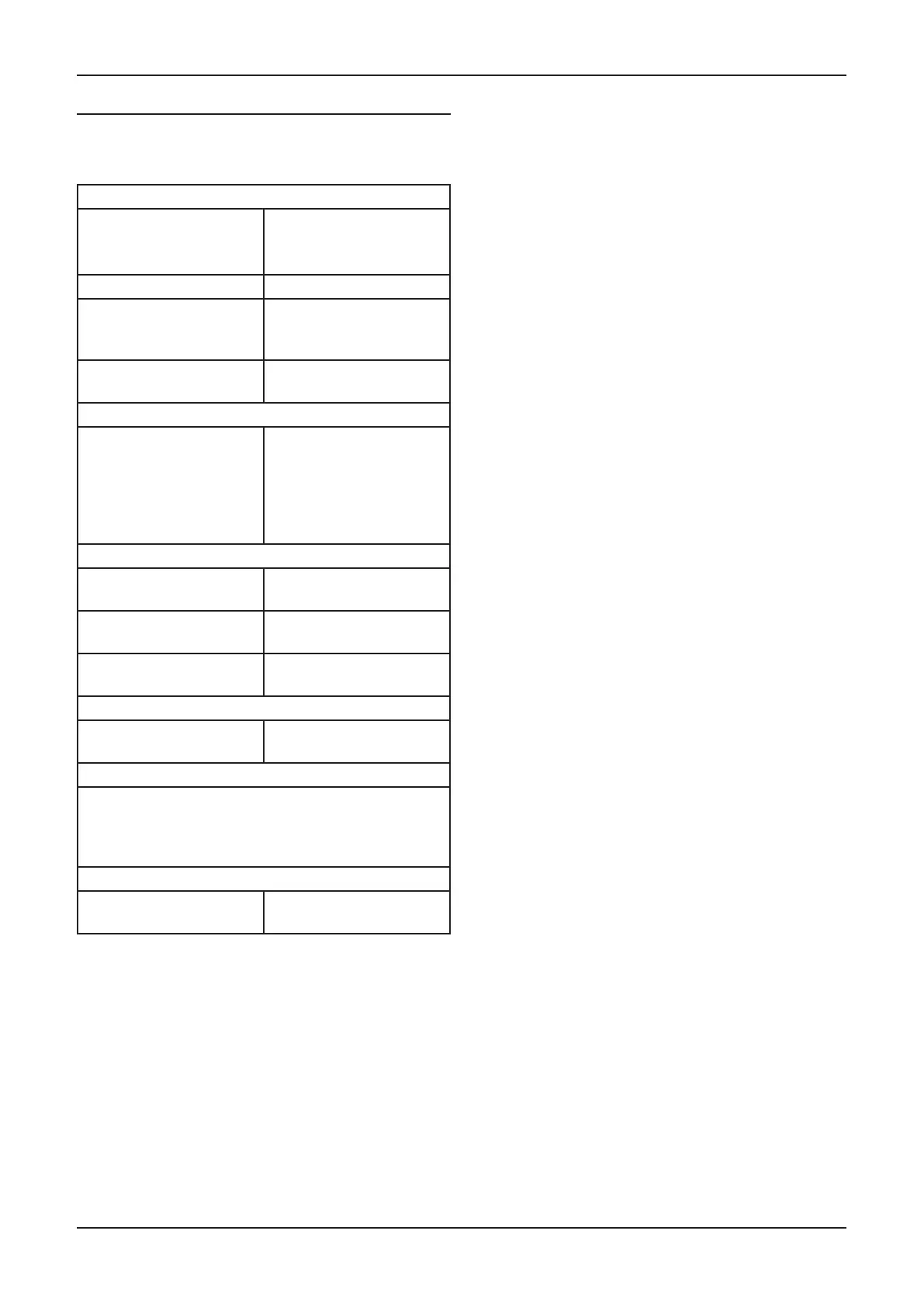
TROUBLESHOOTING GUIDE
If your amplier is not operang properly, disconnect the
power and check carefully all connecons.
If you are in any doubt, consult your retailer.
No sound
The amplier is switched
o or in Standby
Bring the unit out of
Standby
(Standby light - GREEN)
Mute is on Deselect Mute
The source is not working
(e.g. CD not playing or
paused)
Check the source
The power amplier may
not be switched on.
Check that the power
amplier is switched on.
No sound (digital sources)
The sample rate or sound
format of the digital signal
from the source may not
be correct.
Check that the sample
rate from the source is
within the specicaon of
the amplier and that the
program is encoded as two
channel stereo.
No sound from one loudspeaker
BAL control at extreme
limit
Centralise Balance
Does your speaker have
fuses?
Check speaker, replace
fuses
Speaker cables /
interconnects faulty
Check connecons, cables -
replace if needed
Spurious noises from speakers
Interconnects or
connecons faulty
Check, replace where
necessary
Only one digital source is selectable for Zone 2
If a digital input is selected for the main system, then this
will be the only digital source selectable for Zone 2. If an
analogue source is playing in the main system, then all
digital sources will be selectable for Zone 2.
Remote control not working
Remote control not
operang
Check baeries



 To Next Page