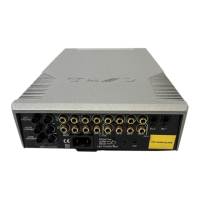
Cyrus Pre
2
DAC User Instrucons
15
Tape/Disc Playback and Recording
Playback: You can play back a recording by selecng the
Analogue Input to which you connected your tape recorder.
Recording: If you have connected the Zone 2/Tape output
sockets to the input of your tape recorder, you can make
recordings from the input sources connected to your
amplier.
As supplied from the factory, the recording signal will always
track the same source as the main system is playing. You can
however, select a dierent source for recording if required.
To change the source, press the front panel Zone 2 key to
display the input source currently selected for recording.
While the Zone 2 indicaon is showing on the display, turn
the rotary control to select a dierent source. Press the
Zone 2 key again to conrm selecon of the input source
displayed.
NOTE: Input 6 is recommended for playback connecon of
a Tape Recorder as it is not selectable for Zone 2/Recording
purposes.



 To Next Page