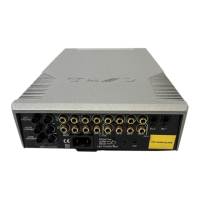
Cyrus Pre
2
DAC User Instrucons
7
Connecng a Power Amplier/Speakers
The Cyrus Pre
2
DAC requires an external power amplier
to drive the system loudspeakers. To connect the power
amplier, connect a phono interconnect from one set
of the dual Pre Out sockets (b or c) to the Inputs of the
power amplier. Ensure le and right channels are correctly
connected. The speakers connect to the power amplier.
The power amplier handbook will include instrucons for
connecon of the speakers.
Using the Zone 2 output
Your product includes a Zone 2 pre-amp output that can be
used by a system in a second room. You can then extend the
sound from the sources in your main system to a second
zone. To use the Zone 2 output you will need a set of long
interconnects and an amplier with loudspeakers in the
second zone that has its own volume control. Typically the
second zone system would be the auxiliary input of an MP3
player dock or could even be another integrated amplier
with full size separate loudspeakers.
Seng up Zone 2 with powered speakers
To set up Zone 2, connect the long phono cables to the Zone
2 output d and route them to the line inputs of the powered
speakers in Zone 2.
Seng up Zone 2 with a second amplier
To set up Zone 2 with a separate amplier, connect the long
phono cables to the Zone 2 output d and route them to one
of the line inputs of the amplier in Zone 2. Connect the
Zone 2 speakers to the Zone 2 amplier.
NOTE: Ampliers for Zone 2 use must include a volume
control.
Connecng a Tape/Disc recorder for recording
When not in use for a Zone 2 system, the dual-purpose
output Zone 2/Tape may be used to connect a tape recorder
for recording purposes. To set up a tape recording loop,
connect a phono cable from the ‘Input’ or ‘Record’ sockets
of the tape deck to the Zone 2 Output d sockets.
NOTE: This secon assumes that the ‘Play’ or ‘Line Out’
sockets of the tape/disc recorder have already been
connected to Input 6 for playback purposes.



 To Next Page