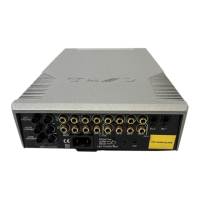
Cyrus Pre
2
DAC
User Instrucons
IMPORTANT! READ BEFORE OPERATING THIS EQUIPMENT! .. 1
Power supply ....................................................................... 2
Servicing .............................................................................. 2
Product service centres ....................................................... 2
FCC NOTICE .......................................................................... 3
WELCOME TO THE WORLD OF CYRUS! ................................. 4
Preparaons for Installaon ................................................ 4
INSTALLATION ......................................................................... 5
Key to the rear panel drawing ......................................... 5
Important – read before making any audio connecons ..... 6
Connecng Analogue Audio Sources ................................... 6
Connecng a Turntable ........................................................ 6
Digital Audio Inputs ............................................................. 6
Connecng digital audio sources .................................... 6
Connecng USB audio sources ....................................... 6
Connecng a Power Amplier/Speakers ............................. 7
Using the Zone 2 output ...................................................... 7
Seng up Zone 2 with powered speakers ...................... 7
Seng up Zone 2 with a second amplier ......................7
Connecng a Tape/Disc recorder for recording ..............7
Bi-amping............................................................................. 8
Connecng power ampliers .......................................... 8
Connecng Headphones ..................................................... 8
Connecng a Cyrus Surround Sound decoder ..................... 8
Connecng a Surround Sound decoder (other brand) ........ 8
MC-BUS System ................................................................... 9
External Power Supply - PSX-R/PSX-R
2
................................ 9
How it works ................................................................... 9
Ferrite clamp...................................................................... 10
Connecng to the AC Mains Supply .................................. 10
CONFIGURATION .................................................................. 11
Input names .................................................................. 11
Input 11 auto-hide ........................................................ 11
Display mode ................................................................ 12
Input sensivity oset .................................................. 12
Factory Sengs ................................................................. 12
OPERATION ........................................................................... 13
Key to the front panel drawing ..................................... 13
Power ...................................................... ........................... 13
Selecng an Input .............................................................. 13
Selecng the ‘Cyrus AV’ or ‘AV Direct’ Inputs .................... 13
Volume and Balance .......................................................... 14
Mute .................................................................................. 14
Listening to headphones ................................................... 14
Playing music in Zone 2 ..................................................... 14
Tape/Disc Playback and Recording .................................... 15
REMOTE CONTROL OPERATION .......................................... 16
Remote control introducon ........................................ 16
Remote control backlight .............................................. 16
Fing baeries to the remote control .........................16
Sending commands to Cyrus components .................... 16
Switching on Cyrus components ................................... 16
Cyrus amplier commands ................................................ 17
Cyrus CD player commands ............................................... 18
Cyrus Audio streamer commands ...................................... 19
Cyrus Phono Signature commands .................................... 20
Learning TV and Satellite commands ................................. 21
Preparaon for learning ................................................ 21
Learning commands ...................................................... 21
Checking programmed commands .................................... 22
Problems with learning ...................................................... 22
Sending TV or SAT commands ........................................... 22
TROUBLESHOOTING GUIDE ................................................. 23
SPECIFICATIONS .................................................................... 24
Power Supply ................................................................ 24
Power Consumpon ..................................................... 24
Enclosure ...................................................................... 24
Analogue audio performance ....................................... 24
Digital audio performance ............................................ 24
WARRANTY ............................................................................ 24
WEEE ...................................................................................... 24
CONTENTS



 To Next Page