COMPASS CALIBRATION
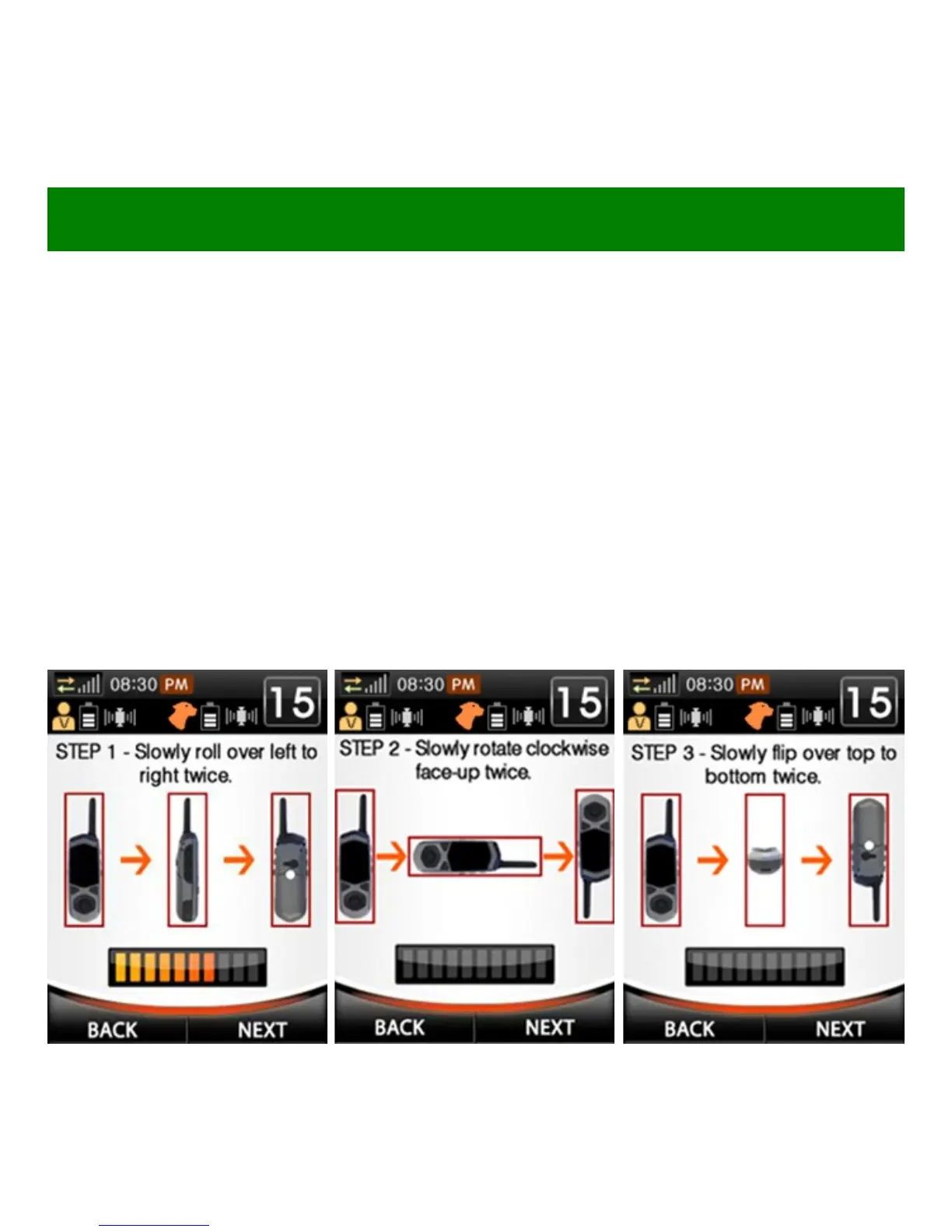
3. Roll: As shown in fig. 1 below, roll the unit twice at a speed that
matches the indicator bar on screen.
4. Rotate: As shown in fig. 2 below, rotate the unit twice at a speed
that matches the indicator bar on screen.
5. Flip: As shown in fig. 3 below, flip the unit twice at a speed that
matches the indicator bar on screen.
6. If “calibration successful” appears, press OK. If “calibration failed”
appears, exit and repeat the process.
Fig. 1 Roll
Fig. 2 Rotate Fig. 3 Flip



 To Next Page