To Find Previously Marked Waypoint
1. Press the MARK button.
2. Select Find Mark and press the ENTER button.
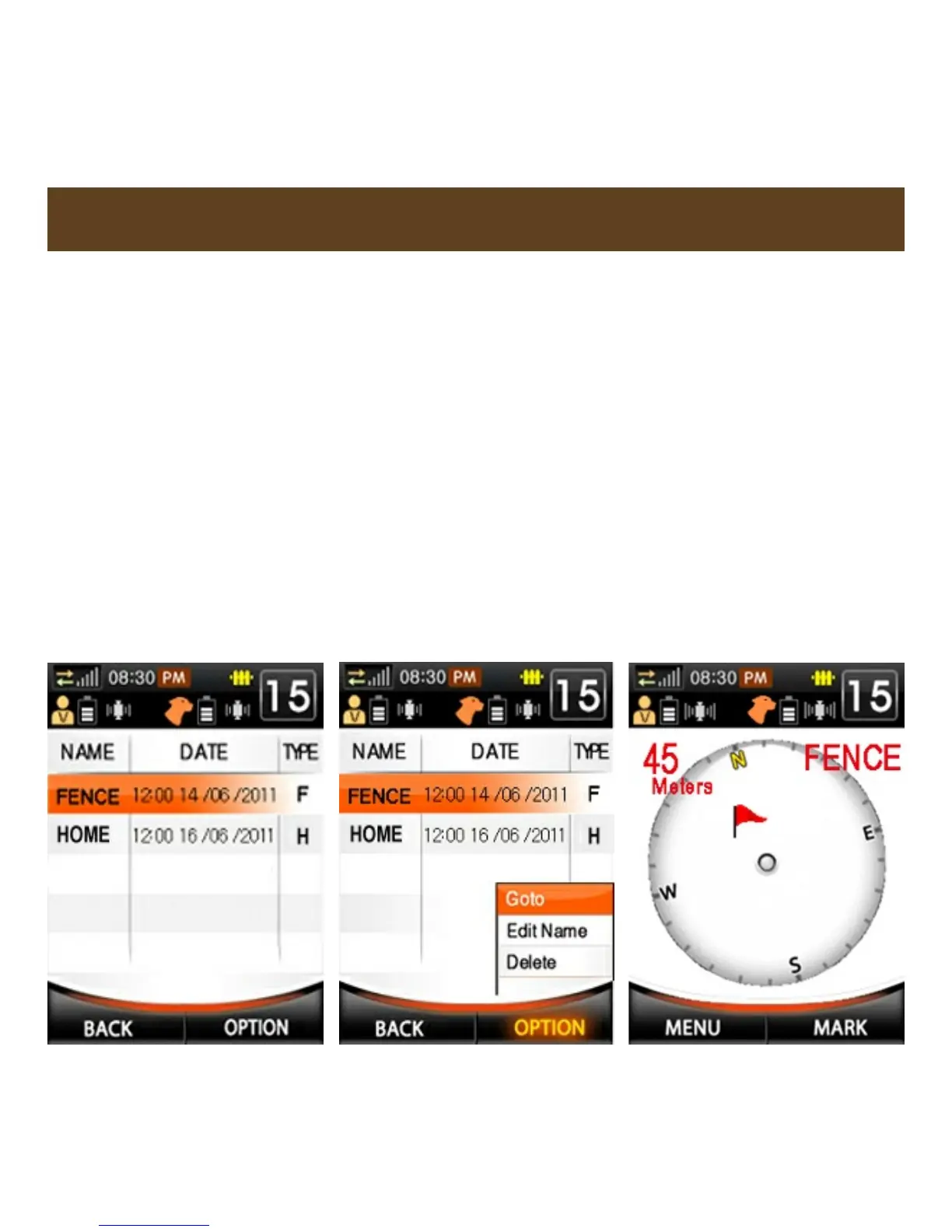
3. Highlight the desired Waypoint and press ENTER or OPTION (see
fig. 1 below).
4. Highlight Goto and press ENTER (see fig. 2 below).
5. The next screen will show the Waypoint with a flag. Direction and
Distance from the transmitter will be shown on the screen (see fig. 3
below).
6. To cancel finding the Waypoint, press MARK and select Stop
Search.
FIND PREVIOUSLY MARKED WAYPOINTS
Fig. 1
Fig. 2
Fig. 3



 To Next Page