SWITCHING BETWEEN COLLARS
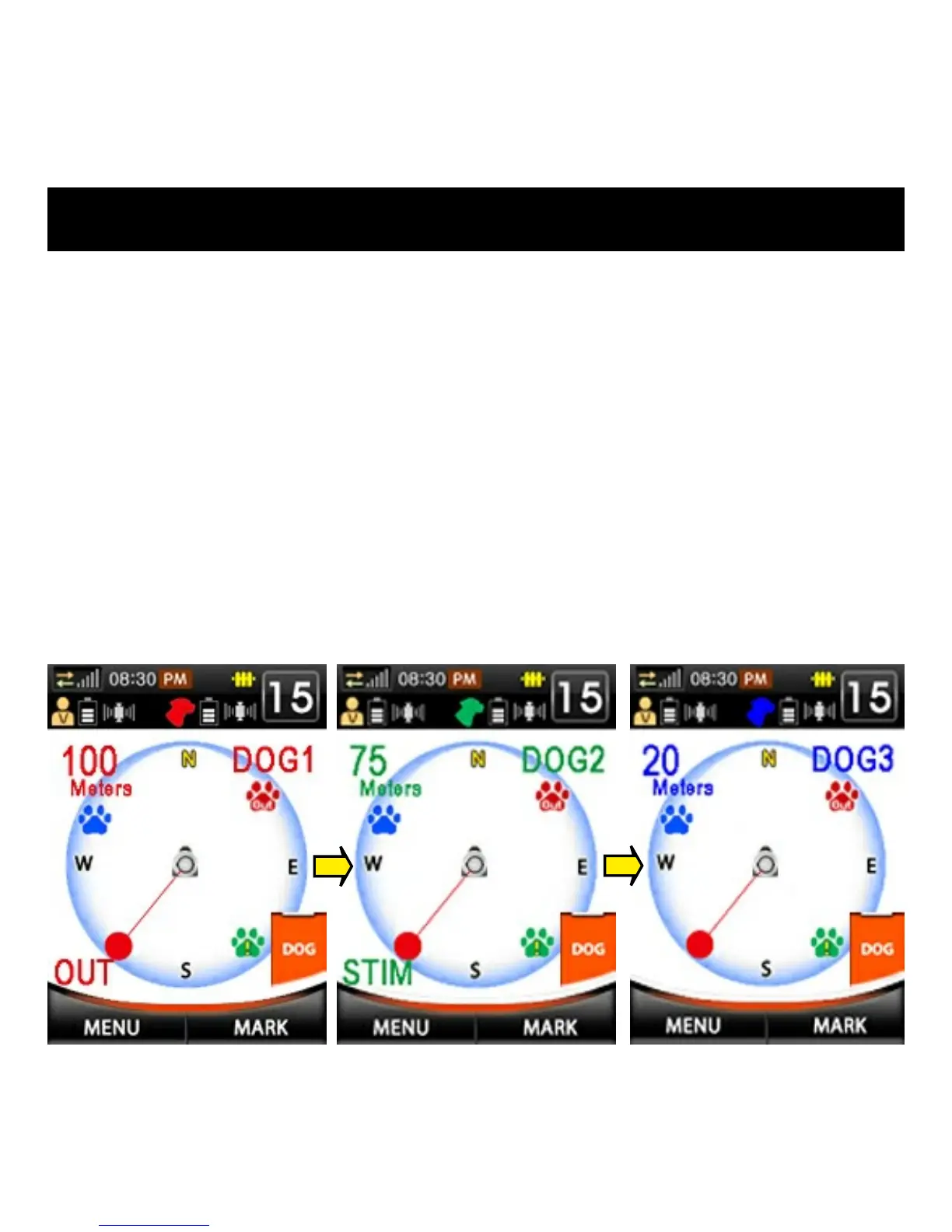
If multiple collars are registered to the handheld unit, pressing the DOG
button selects a different collar unit. The information onscreen will
change color to match the chosen collar. Each time the DOG button is
pressed, the handheld unit will cycle through the active collars (see fig. 1,
2, 3 below).
The collar unit currently being displayed and its intensity level will also
appear in the System Information Bar. Remote training functions can be
used while in Fence mode. The handheld unit stores each collar’s
respective stimulation levels and settings so they will not have to be
changed each time a different collar is chosen.
Fig. 1
Fig. 2
Fig. 3



 To Next Page