EDIT NAME & COLOR / DELETE COLLAR
To Edit Collar Name:
1. Navigate to MENU→SETUP→COLLAR.
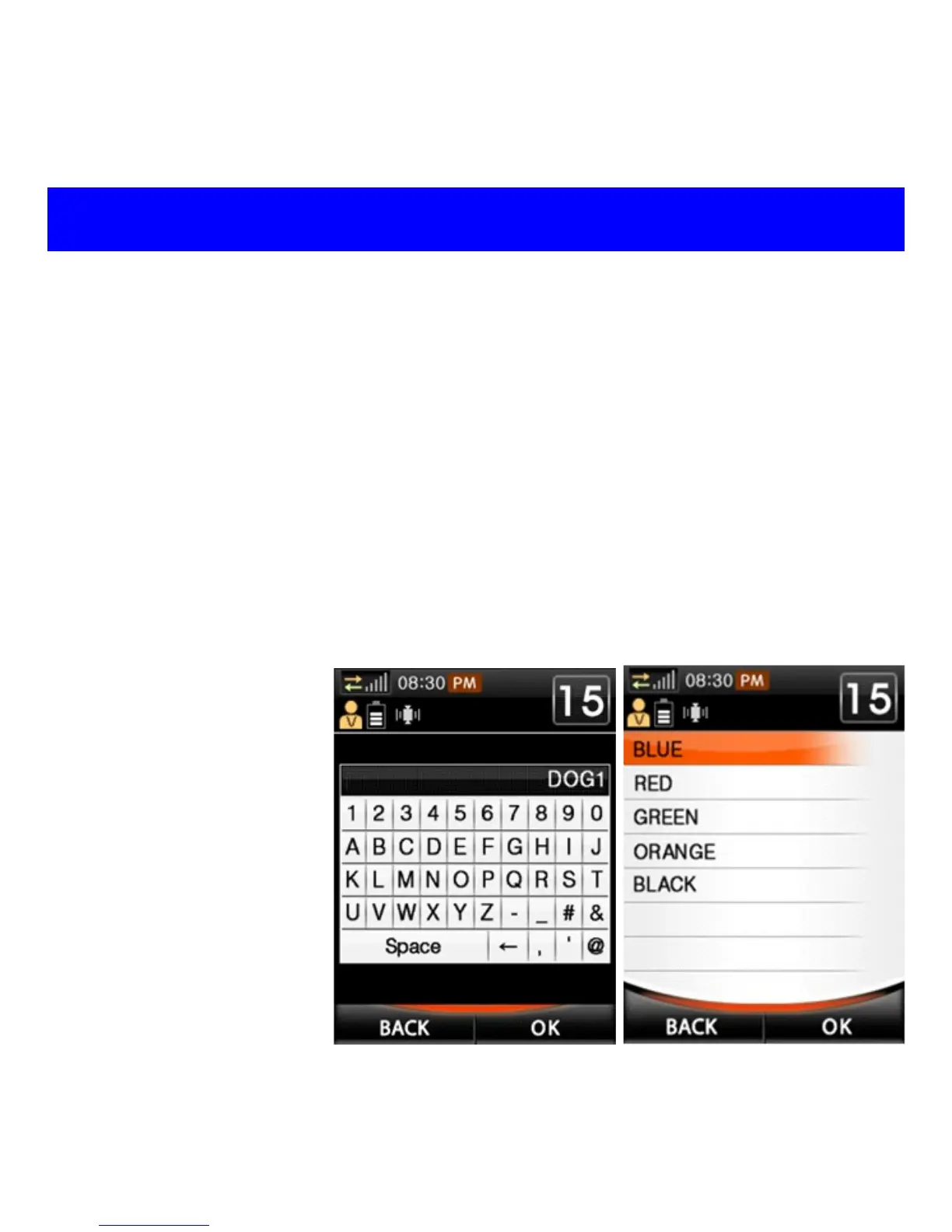
2. Highlight desired collar from list, then select OPTION→EditName.
3. Key in desired name and select OK (see fig. 1 below).
To Edit Collar Color:
1. Navigate to MENU→SETUP→COLLAR.
2. Highlight desired collar from list, then select OPTION→EditColor.
3. Select desired color and press OK or ENTER (see fig. 2 below).
4. Press BACK to switch to Training View, where the collar name and
color will appear. The collar will be gray if the unit is turned off.
To Delete a Collar:
1. Press MENU→
SETUP→
COLLAR.
2. Highlight desired
collar to delete
from list, then
select OPTIONS
→Delete.
3. Press ENTER, and
confirm deletion.
Fig. 1
Fig. 2



 To Next Page