MARK OVERVIEW
The D.E. Systems “Border Patrol” GPS Mark function allows a user to
mark a GPS Waypoint and find that Waypoint at a later time. It can also
help a user to find a marked Fence Center of the stored GPS Fence.
Features:
1. Save up to 4 Waypoints (General, Car, Home, Other).
2. If the Fence is active, the Fence Center is automatically saved as a
Waypoint.
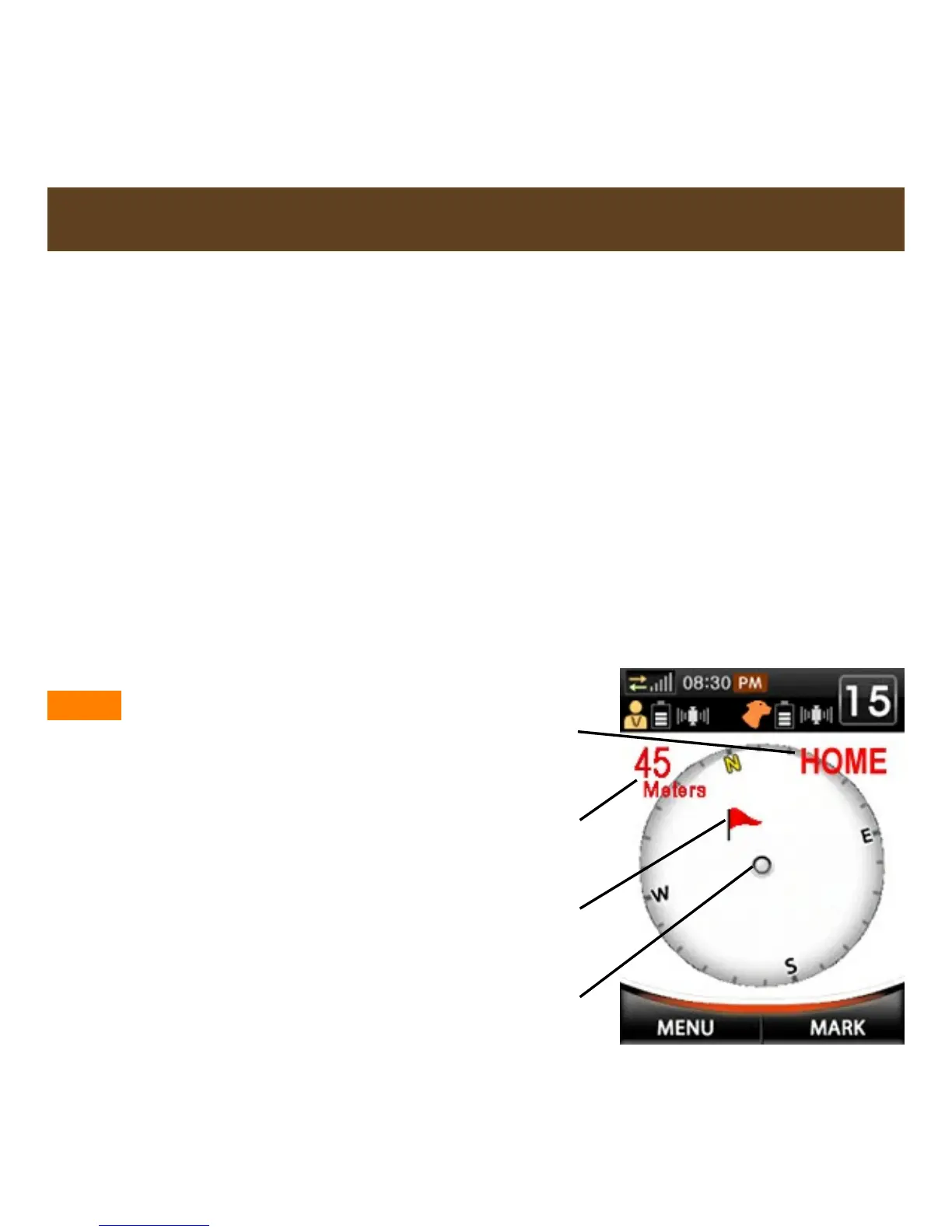
3. Though not a true tracking device, Mark View provides tracking from
your current location to the Waypoint (see fig. 1 below).
4. All training functions are available in the Mark mode.
5. Press Left directional key to quickly switch between Mark View and
Training View, or go through the MENU options.
NOTE - Keep handheld unit
parallel to the ground for
accurate compass readings.
GPS signal is required for
this feature (see pg. 29 for
more information on
acquiring a GPS signal).
Fig. 1
Distance to
Waypoint
Waypoint
Location
Current
Waypoint
Transmitter
Location



 To Next Page