DISPLAY
MENU→Setup→Display→
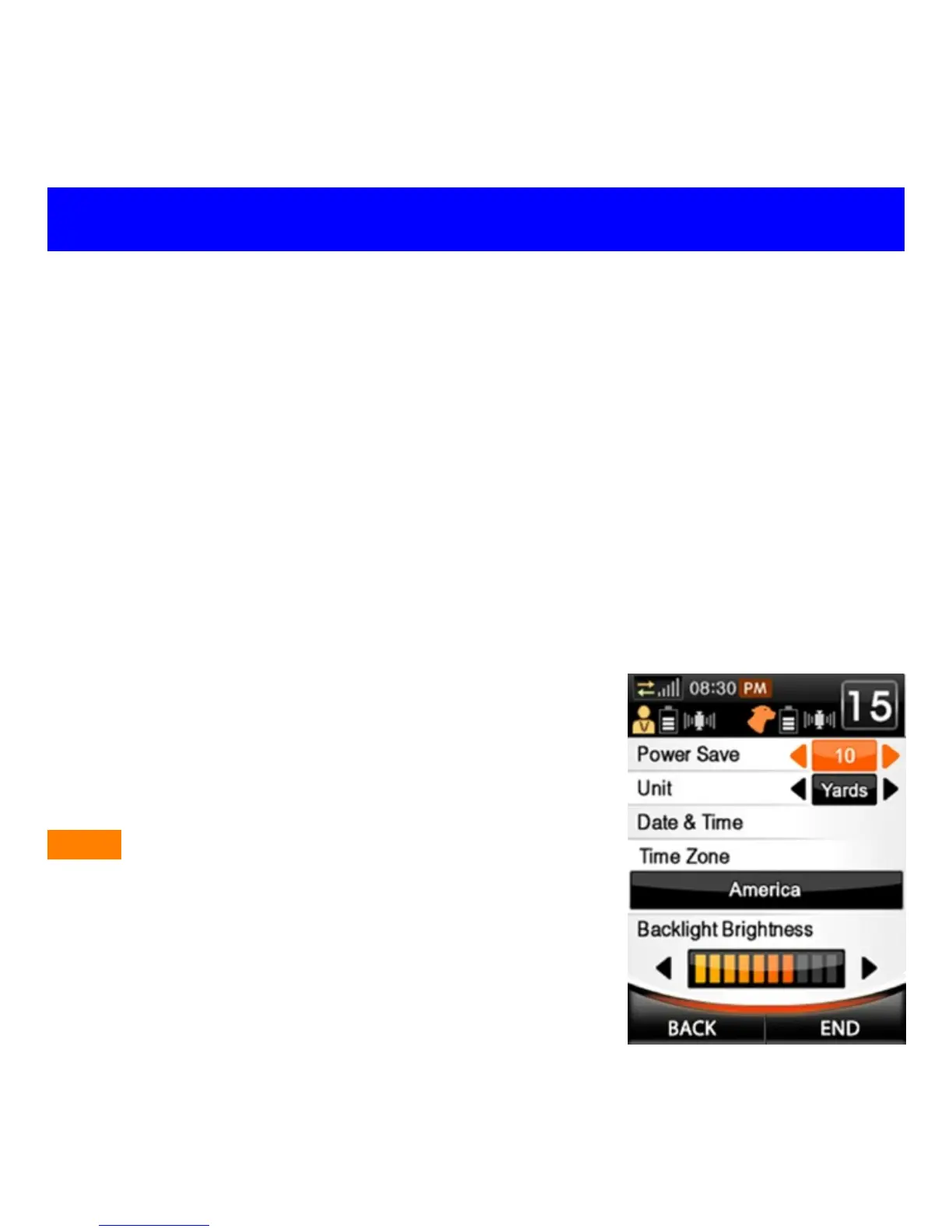
Power Save: The amount of idle time (in sec.) before the screen turns
off to conserve power. Highlight the Power Save box and press Left or
Right keys to cycle between 5, 10, 30, 60, or NEVER (see fig. 1 below).
Unit: Choose Yards or Meters as the default unit of measure. Highlight
the Unit box and press Left or Right keys to select Yards or Meters.
Time Zone (GPS Signal required): Choose appropriate Time Zone. Set
the Time Zone before setting Date & Time, otherwise date & time will be
re-adjusted according to the time zone.
Date & Time (GPS Signal required): Date will be determined by GPS.
However, if time need to be adjusted due to daylight savings, it may be
adjusted accordingly.
Backlight Brightness: Highlight the box and
press the Left key to decrease screen brightness
or the Right key to increase screen brightness.
Lower brightness will consume less power.
NOTE - Once selections have been completed,
press BACK to go back to the Setup menu or
END to return to the Training/Fence/Mark home
screen.
Fig. 1



 To Next Page