ADDING A COLLAR UNIT
The D.E. Systems Border Patrol TC1 can support up to 5 collar units at a
time. All collar units must be added and registered to the handheld unit.
1. Turn on the handheld unit.
2. On the collar unit, press and hold the power button for approximately
8 seconds until the Green LED is solid. It is now in the registering
mode and will remain in the mode for about 8 seconds.
3. On the handheld unit, select MENU à Setup à Collar.
4. Then select Options → Add and press ENTER.
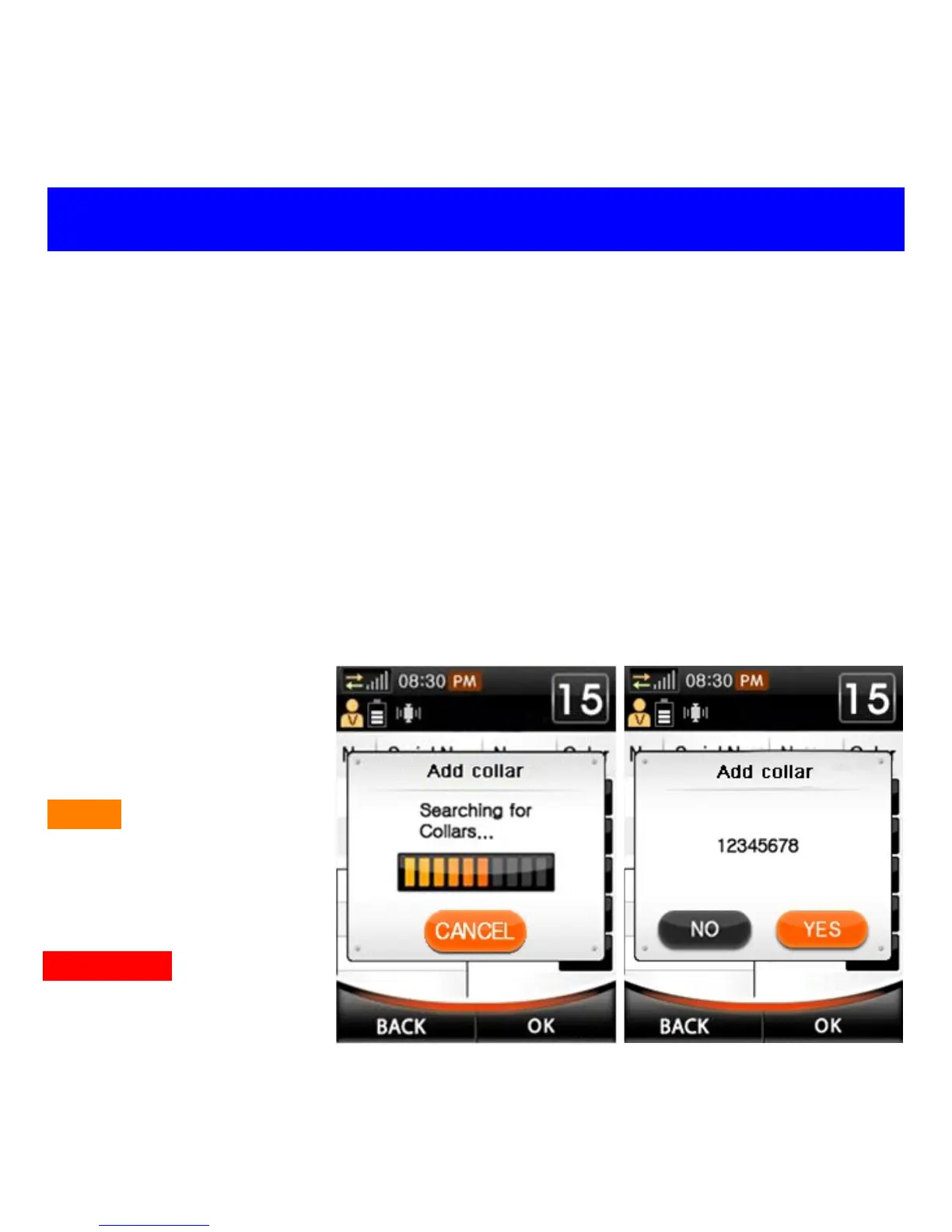
5. The handheld unit will search for the collar (see fig. 1 below).
- If an error message appears, start the procedure over.
- If a collar sync number appears, go to next step (see fig.2 below).
6. Press YES, and enter the Collar Name.
7. The collar unit will
power off when
successfully added.
Manually restart
the collar unit.
NOTE - Collar Color is
automatically assigned.
To edit Collar Name
and Color, see pg. 64.
WARNING - Test all
collar units before
use (see pg. 54).
Fig. 1
Fig. 2



 To Next Page